- The New Admission Form can be downloaded and completed prior to entering a Resident into SoupedUp.
- The form mirrors the Resident area of SoupedUp Catering, assisting in data entry.
- The form reflects any site-specific information, including cereals, assistive devices, dining preferences and so on. The data is taken dynamically from your Dietary Settings.
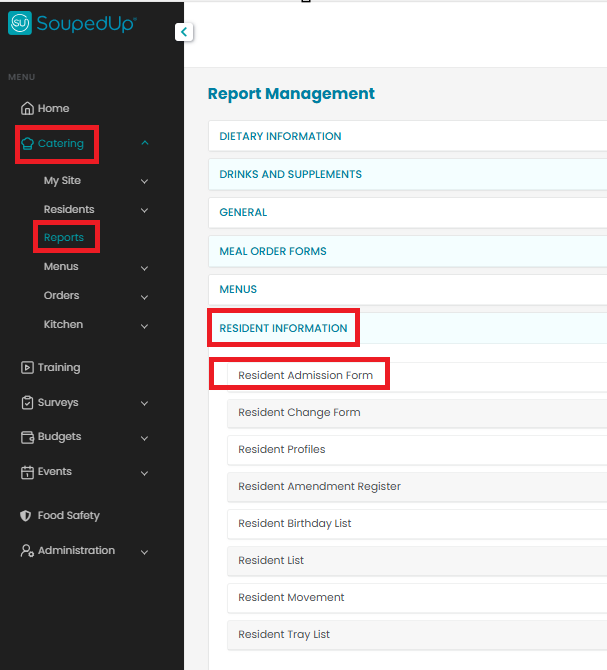
The New Admission Form can be downloaded by navigating to Reports | Resident Information within your site.
To access the New Admission Form:
- Select Catering from the navigation panel.
- Select Reports.
- Select Resident Information
- Select Resident Admission Form
- Click Generate Report
- The form will open for you to view / print.
Click here to learn about the Resident Change Form.
Was this article helpful?
That’s Great!
Thank you for your feedback
Sorry! We couldn't be helpful
Thank you for your feedback
Feedback sent
We appreciate your effort and will try to fix the article