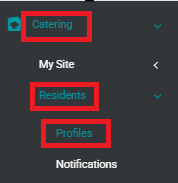
To access Residents' profiles:
|  |
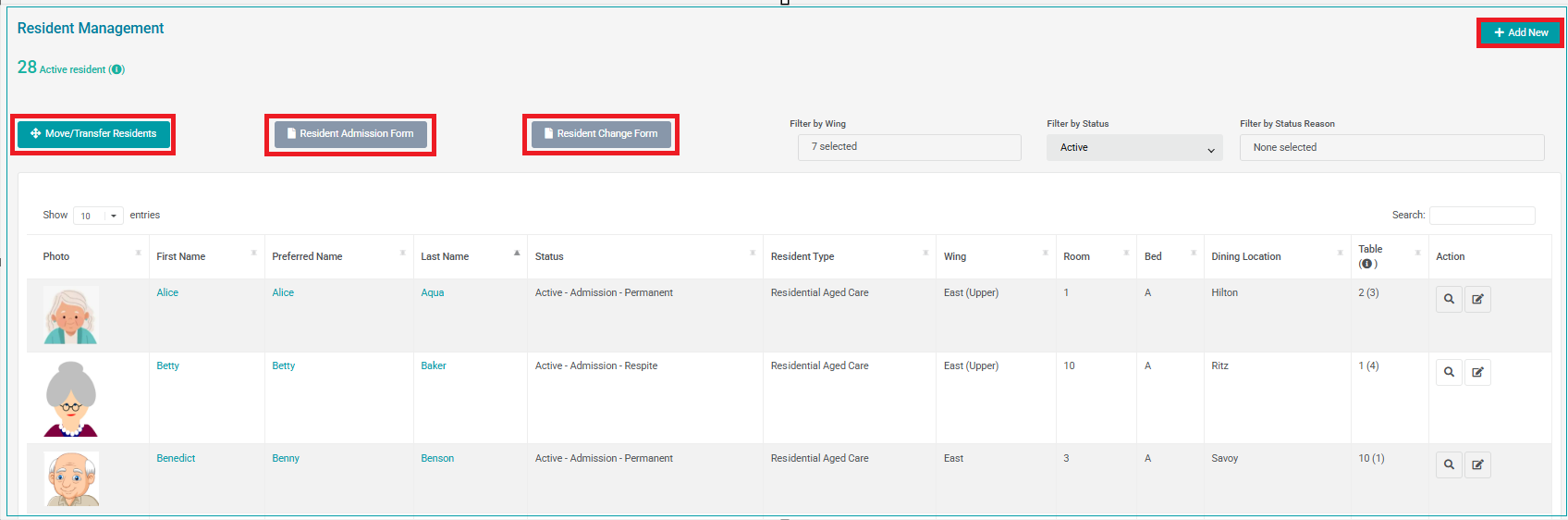
The Residents Profiles area provides an overview of all residents for your site.
You are able to see, at a glance, the following details for each resident:
- Resident photo
- First and Last Name
- Preferred Name
- Status
- Wing
- Room
- Bed
- Dining Location
- Table
The Resident Admission Form and Resident Change Form can be downloaded here.
In addition, you will find the buttons to Add New and Move/Transfer Residents.
Resident Filtering and Search
Residents can be filtered by Wing, by Status and by Status Reason. You can also search for a Resident using the Search field.
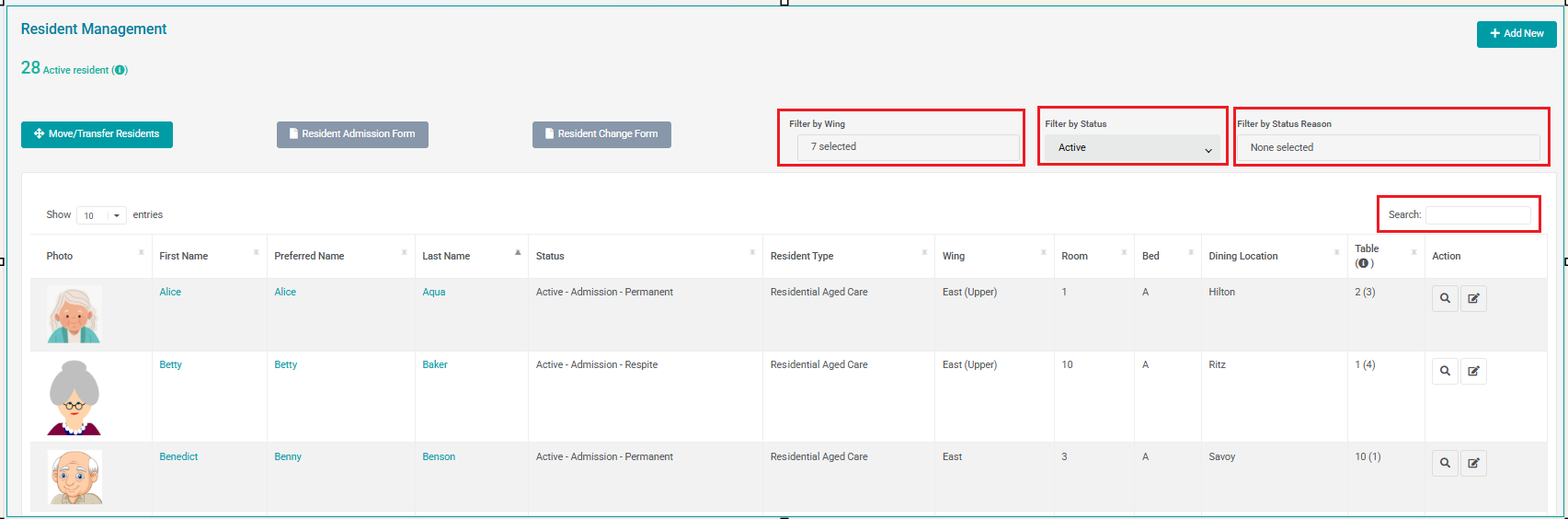
To begin a resident search, start typing the first few characters of their Name, Wing, Room, Dining Location or Table. The search function does not require the full title. To clear the search text, click the blue cross:

Resident Status
Residents can have a Status of Active (default), Temporary Leave or Discharged.
Temporary Leave: A Resident can be made Temporary Leave if the resident is away from the site for an extended period of time (home stay, holiday, hospital). A ‘Temporary Leave’ resident does not appear on any reports. . When a Resident is on Temporary Leave from the site, they still retain their Wing, Room, Bed, Dining, Table allocation.
Discharged: A Resident is discharged if they have passed away, or if they have permanently left the site.
Once a resident is discharged, their Room and Table allocation are available for other residents.
Both Temporary Leave and Discharged resident information is still viewable in SoupedUp Catering.
Click on these links to learn how to Movement Management - Temporary Leave or Movement Management - Discharged.
View Resident
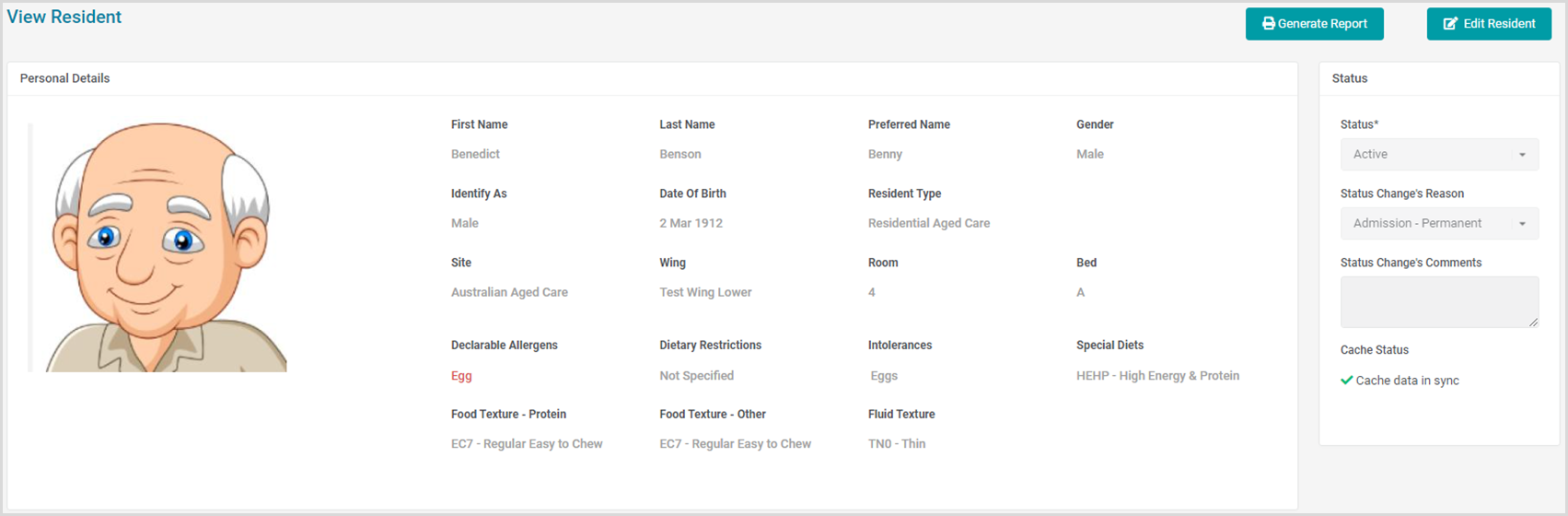
To View a Resident in more detail, simply click on their Photo, Name, or the View icon in their Actions column.

Was this article helpful?
That’s Great!
Thank you for your feedback
Sorry! We couldn't be helpful
Thank you for your feedback
Feedback sent
We appreciate your effort and will try to fix the article