The Dietary Tab of a Resident Profile has a radio button - Nil By Mouth (NBM) to tick if a resident is assessed as having no oral food or fluid intake.
Existing Resident
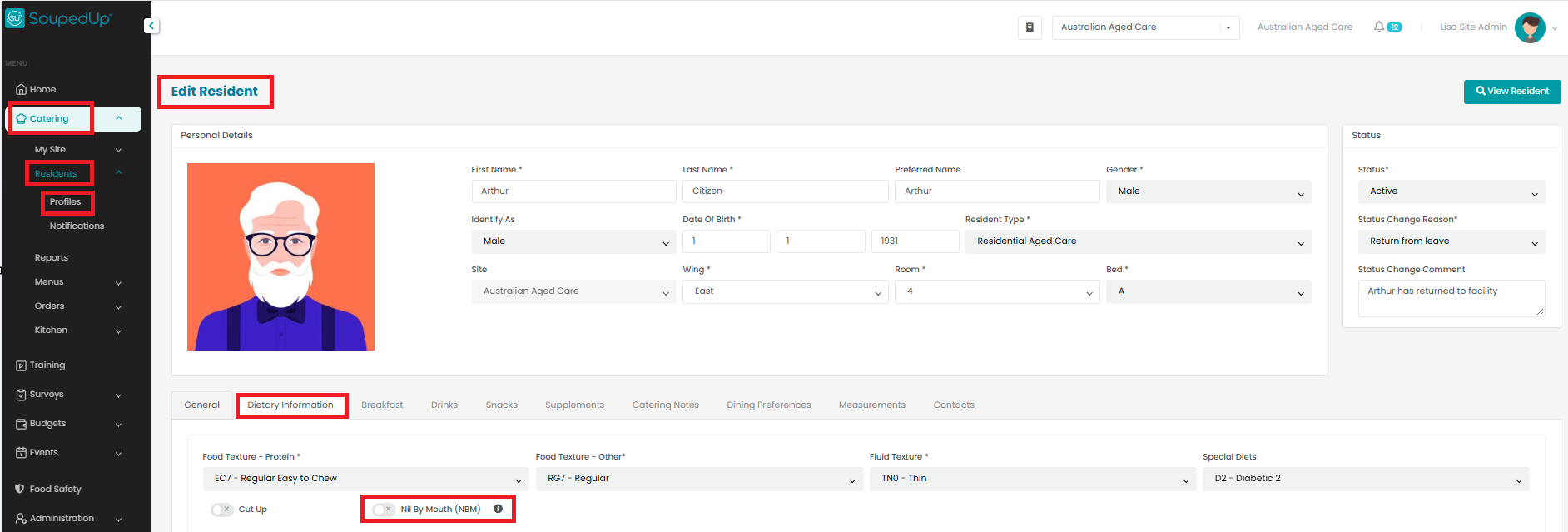
To switch on the Nil By Mouth (NBM) indicator for an existing resident, edit the Dietary Information tab of the resident's profile, click the Nil By Mouth (NBM) radio button and click Save. The radio button will change from grey with a cross to teal with a tick.
New Resident
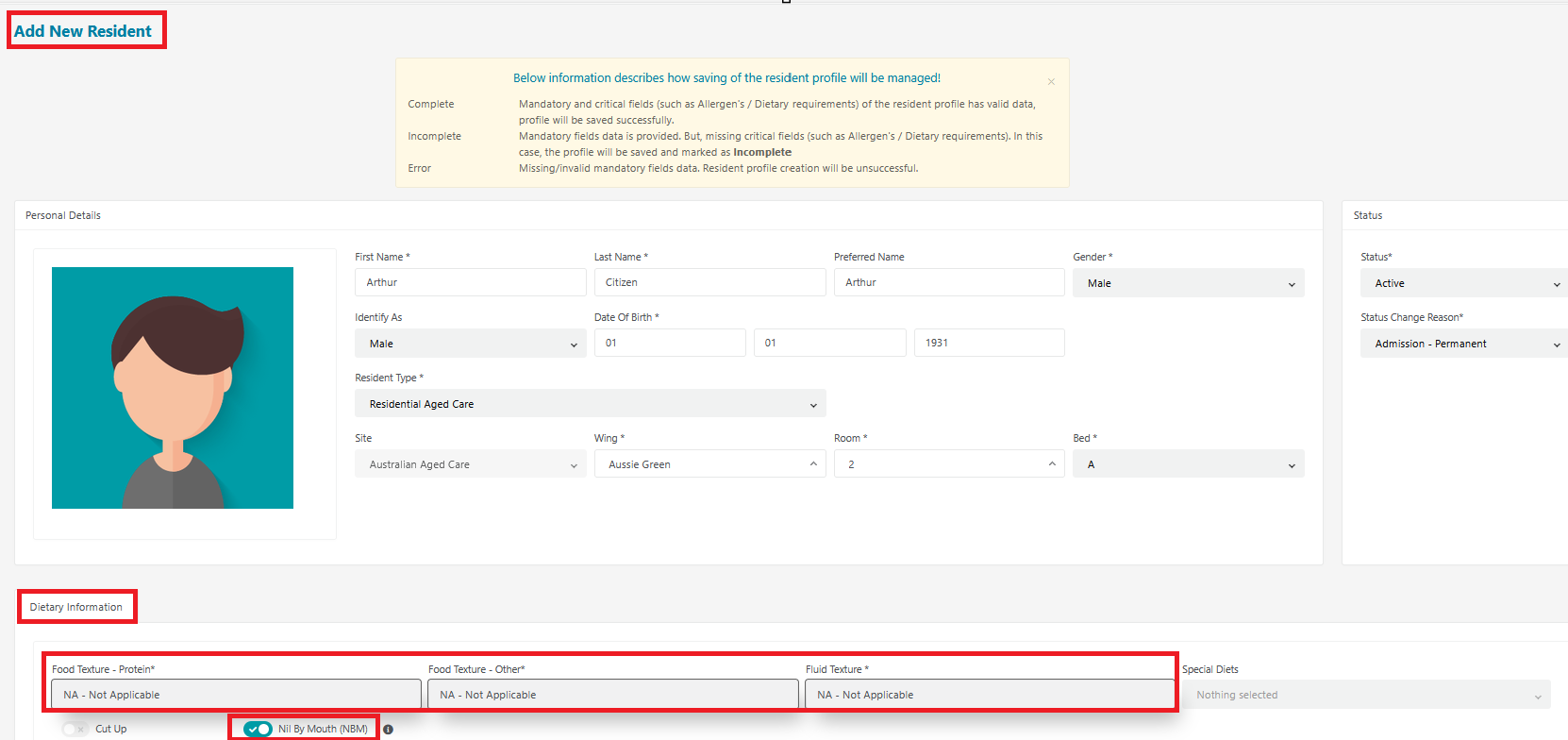
To switch on the Nil By Mouth (NBM) indicator for a new resident, just click the Nil By Mouth (NBM) radio button - do not enter any food or fluid texture values. Once clicked, you will see the Food and Fluid Texture fields automatically populate with NA - Not Applicable, and the radio button will change from grey with a cross to teal with a tick.
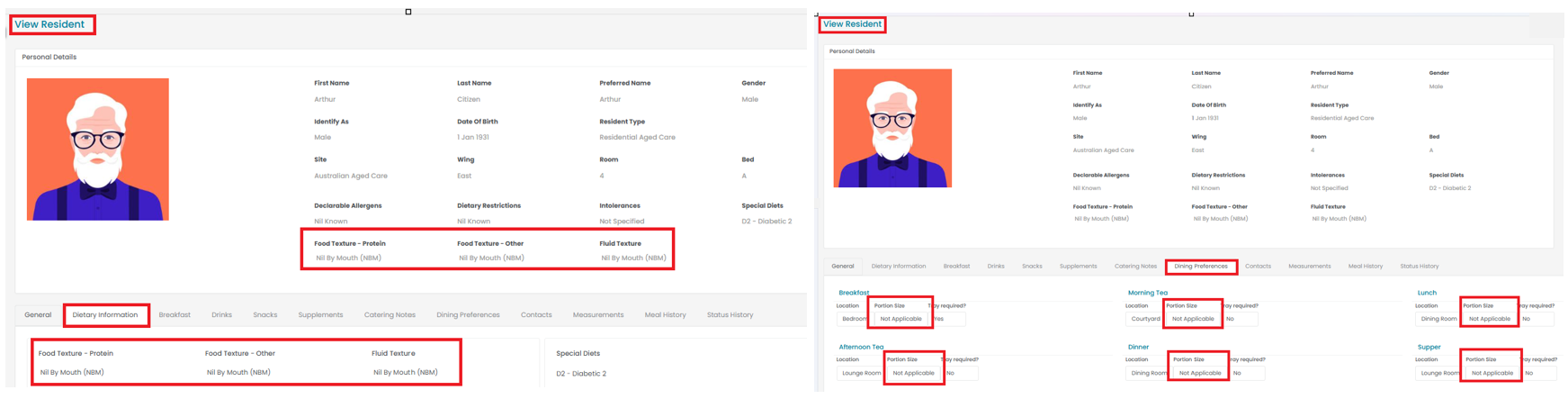
Once the NBM indicator has been set to 'on':
- The Food and Fluid Texture fields will automatically display Nil By Mouth (NBM) on the View Resident screen and in reports (except the Resident Amendment Register).
- The Potion Size field will automatically display NA - Not Applicable for all meal services and on reports
- The Food and Fluid Texture fields will automatically display NA - Not Applicable (on the Edit screen)
Was this article helpful?
That’s Great!
Thank you for your feedback
Sorry! We couldn't be helpful
Thank you for your feedback
Feedback sent
We appreciate your effort and will try to fix the article