Record Out Of Range Temperatures And Log Actions
This tutorial explains how to record out of range temperatures within your food safety program. You will learn how to log corrective actions to maintain compliance and safety.
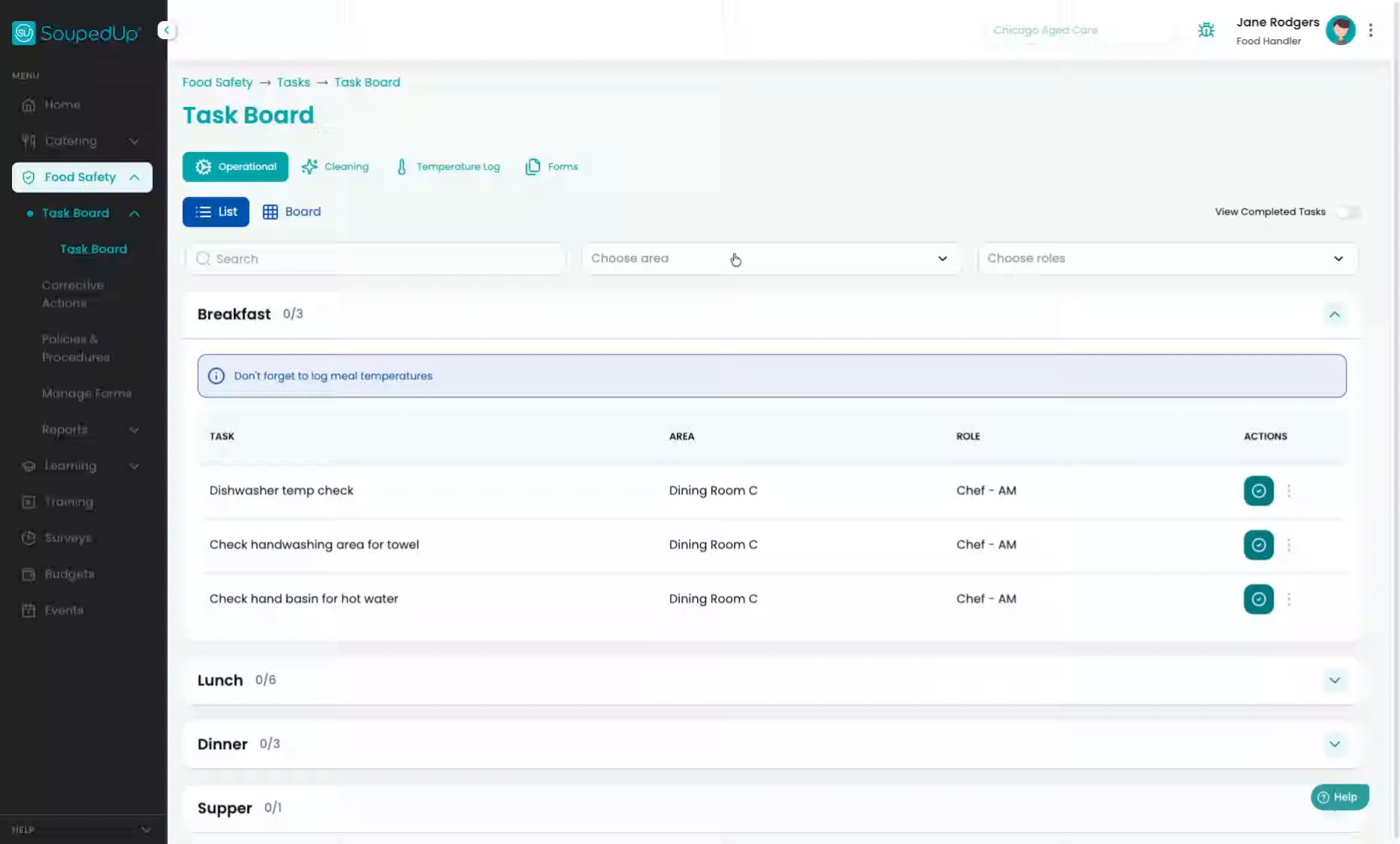
1. Navigate To Temperature Log
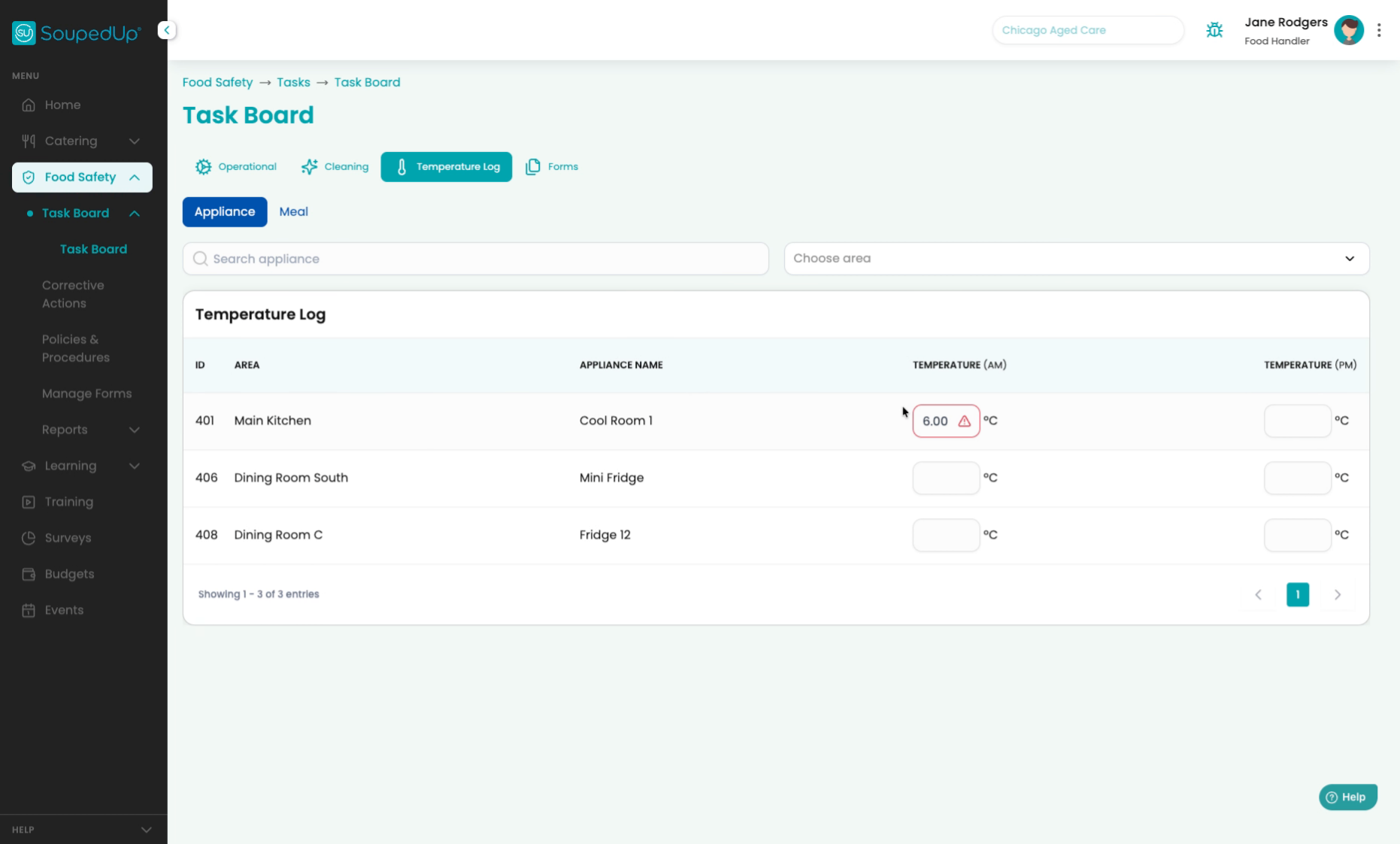
To record an out of range temperature in your food safety program, simply navigate to the temperature log.
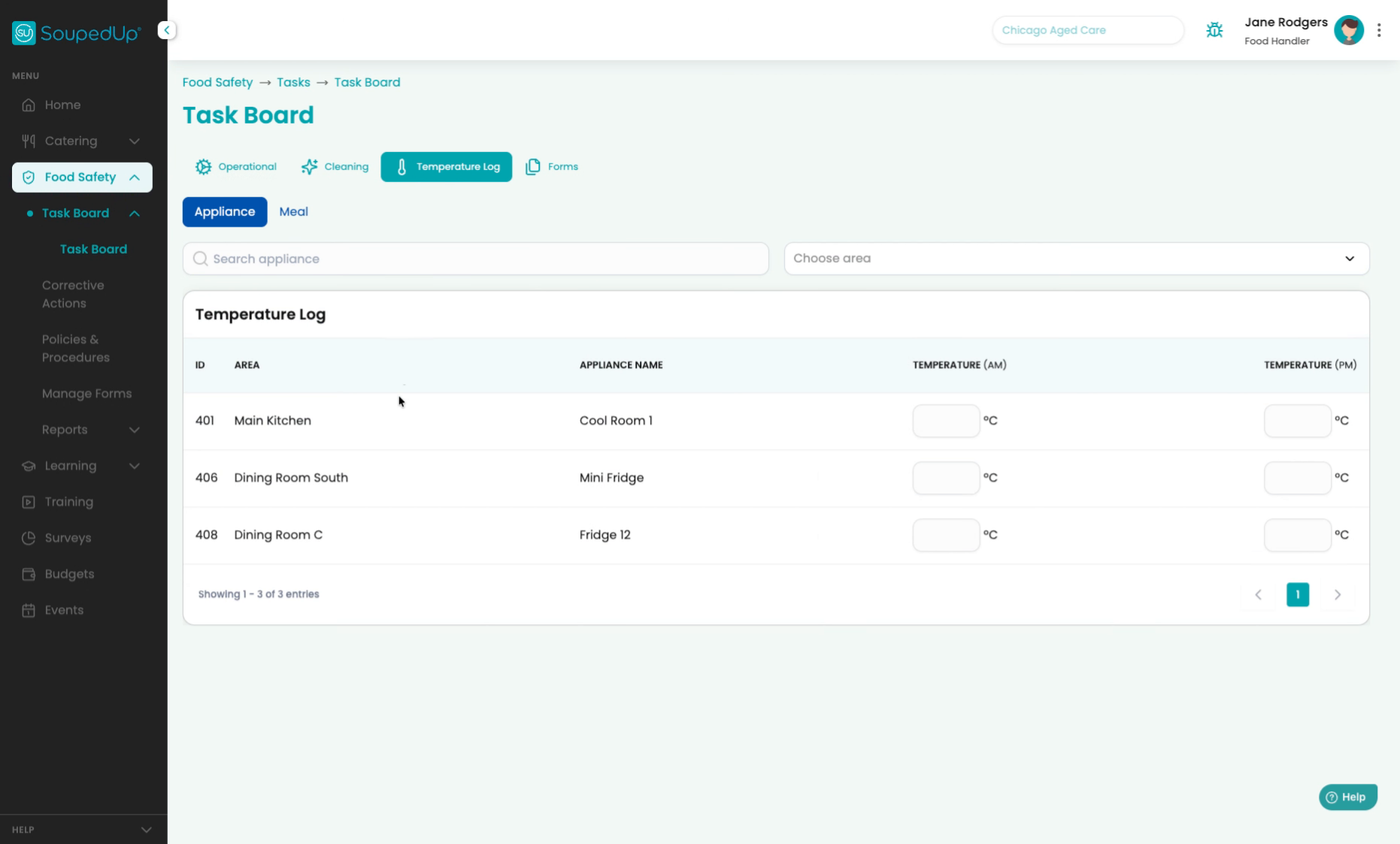
2. Enter Out Of Range Temperature
Find the appliance that had the temperature reading that was incorrect and enter it into the temperature column. Once you enter the out of range temperature, a corrective action will automatically raise.
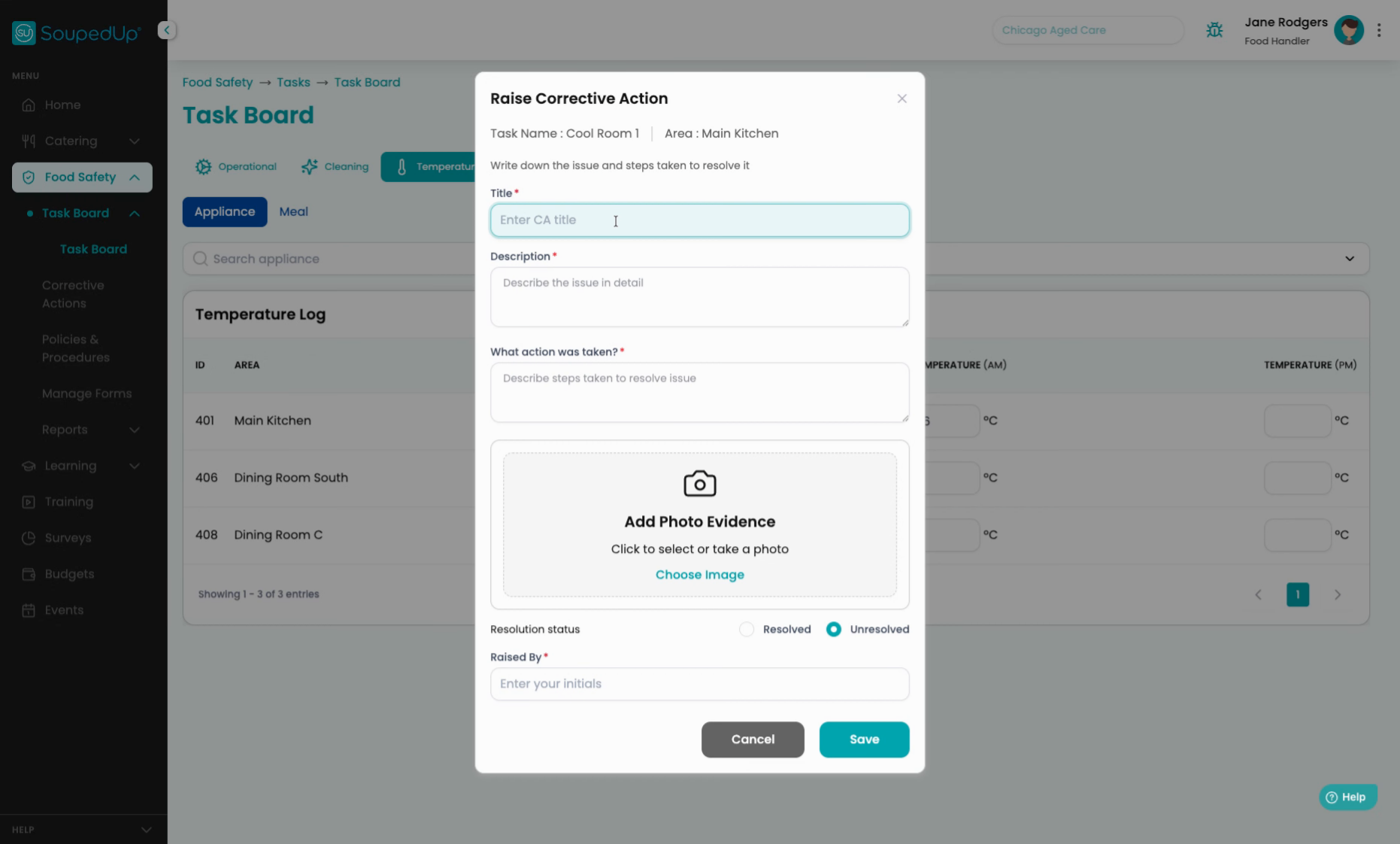
3. Fill Corrective Action Details
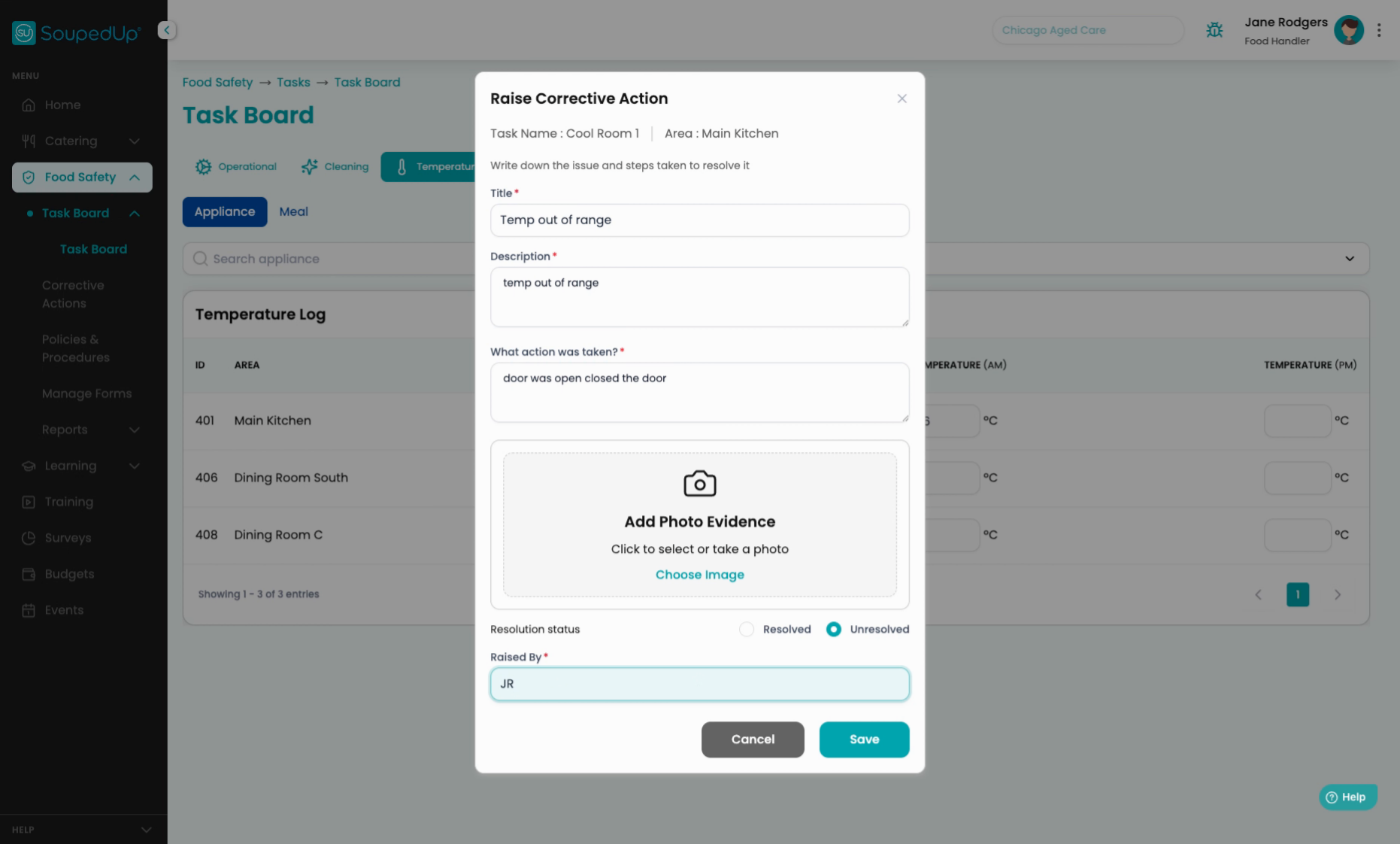
You need to put in what happened, the description, the actions taken, and who raised the corrective action.
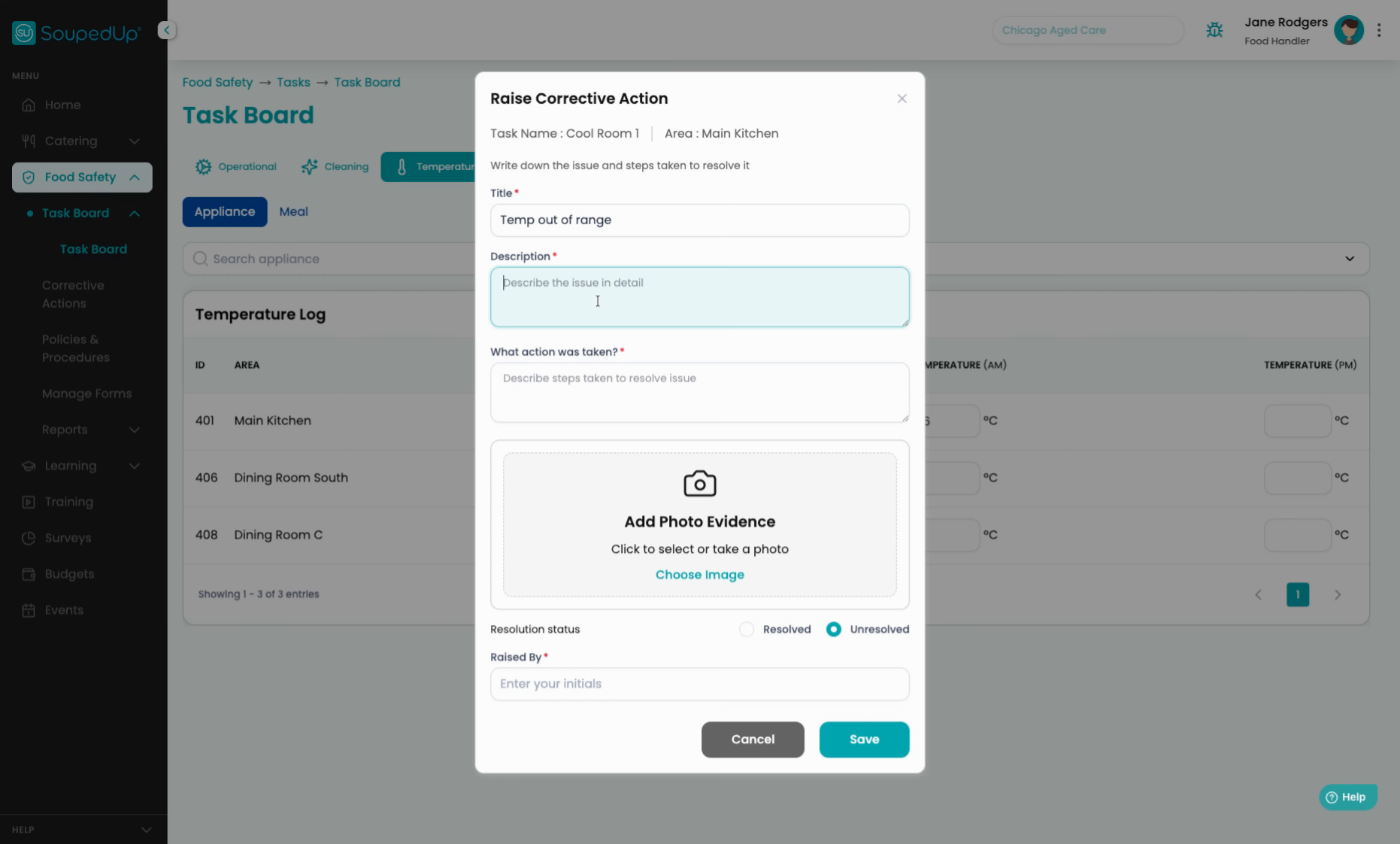
4. Describe The Issue In Detail
Click "Describe the issue in detail".
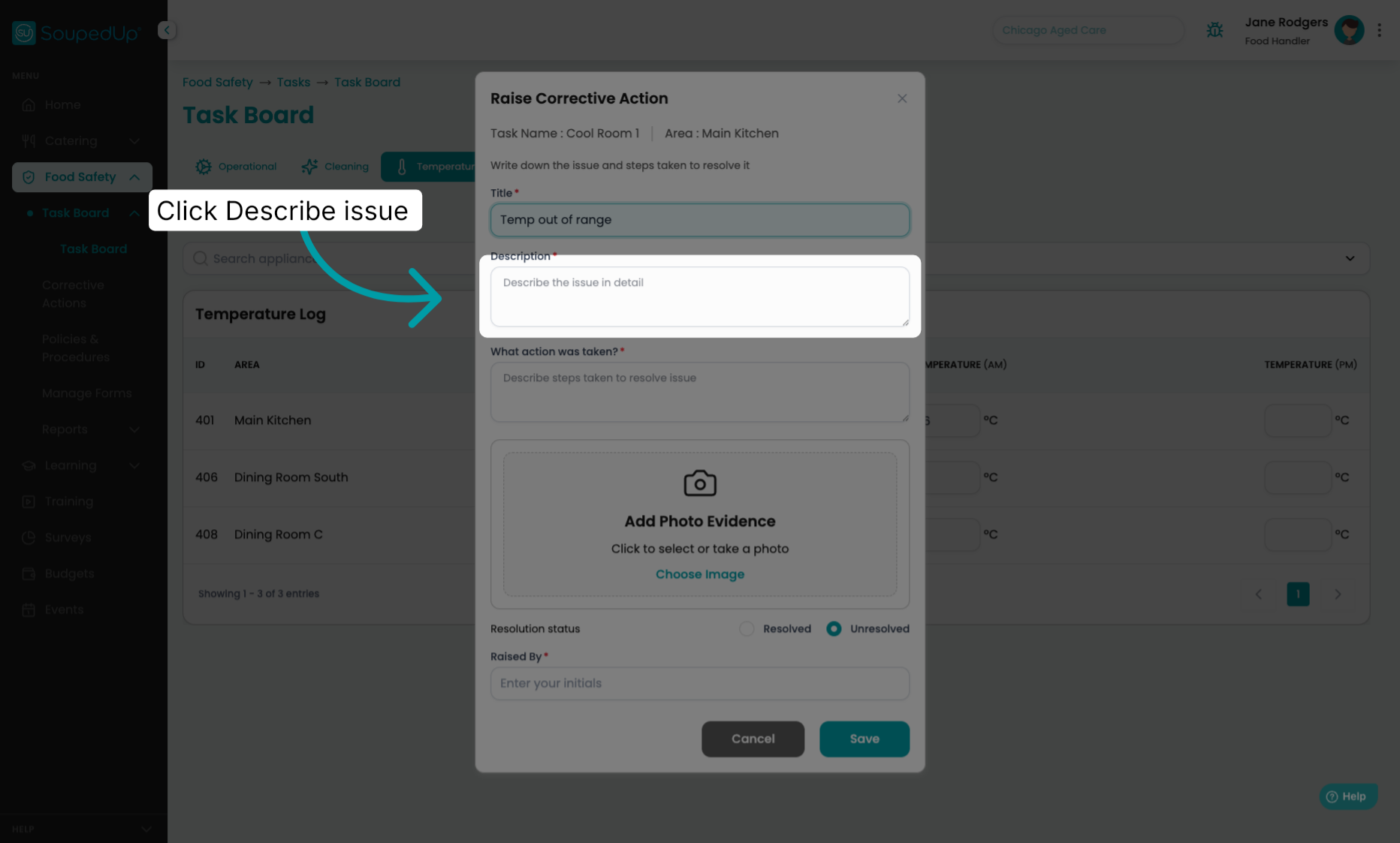
5. Add Description To Action
We will add in the description.
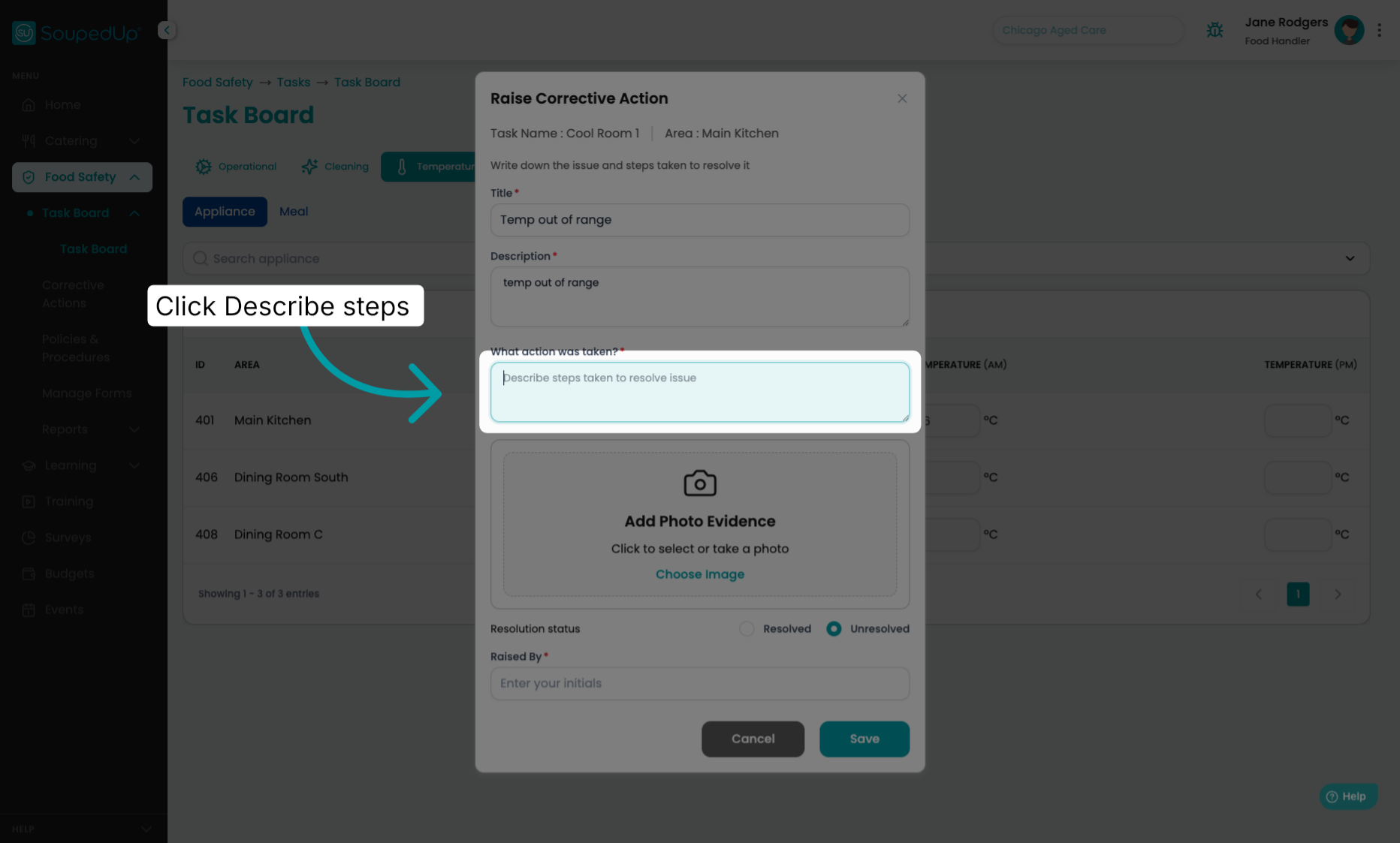
6. Describe Steps Taken To Resolve
Click "Describe steps taken to resolve issue".
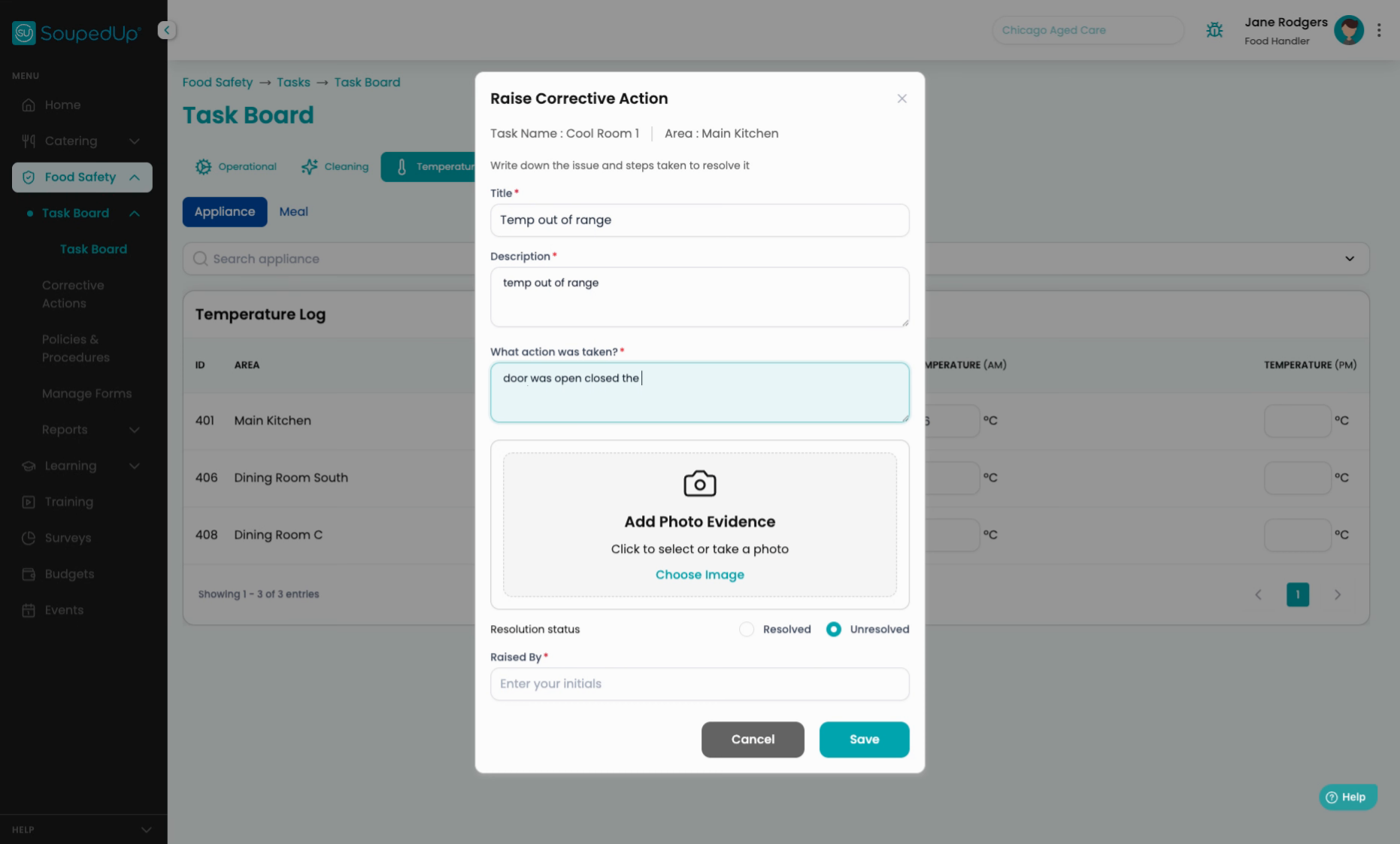
7. Add Photo Evidence
You can add photo evidence.
8. Mark Issue Resolution Status
The issue is unresolved. You can leave it as unresolved to be addressed later, or you can mark the issue as resolved.
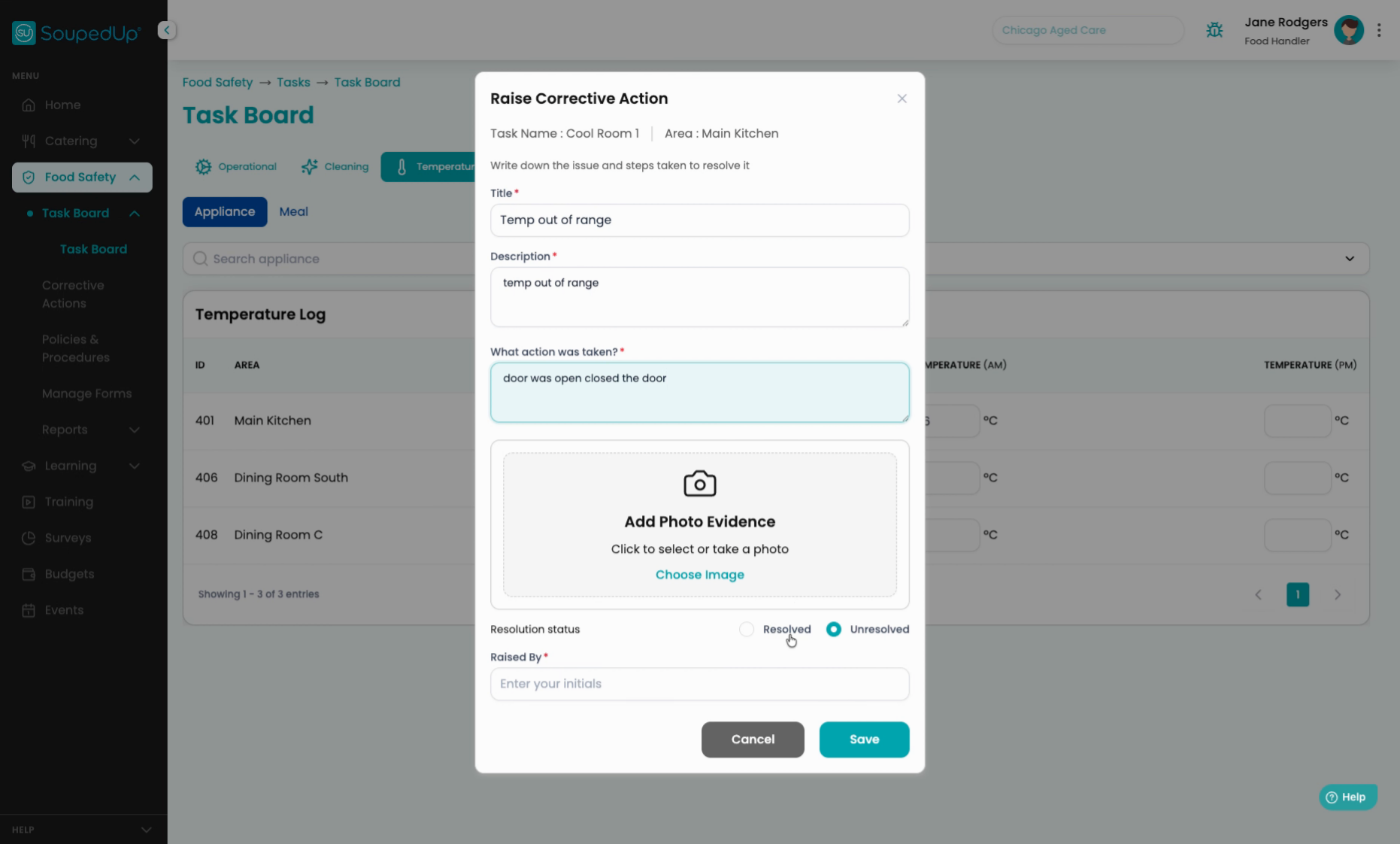
9. Save Unresolved Issue
For now, we will leave the issue as unresolved and then we can save.
10. Record Time And Recorder
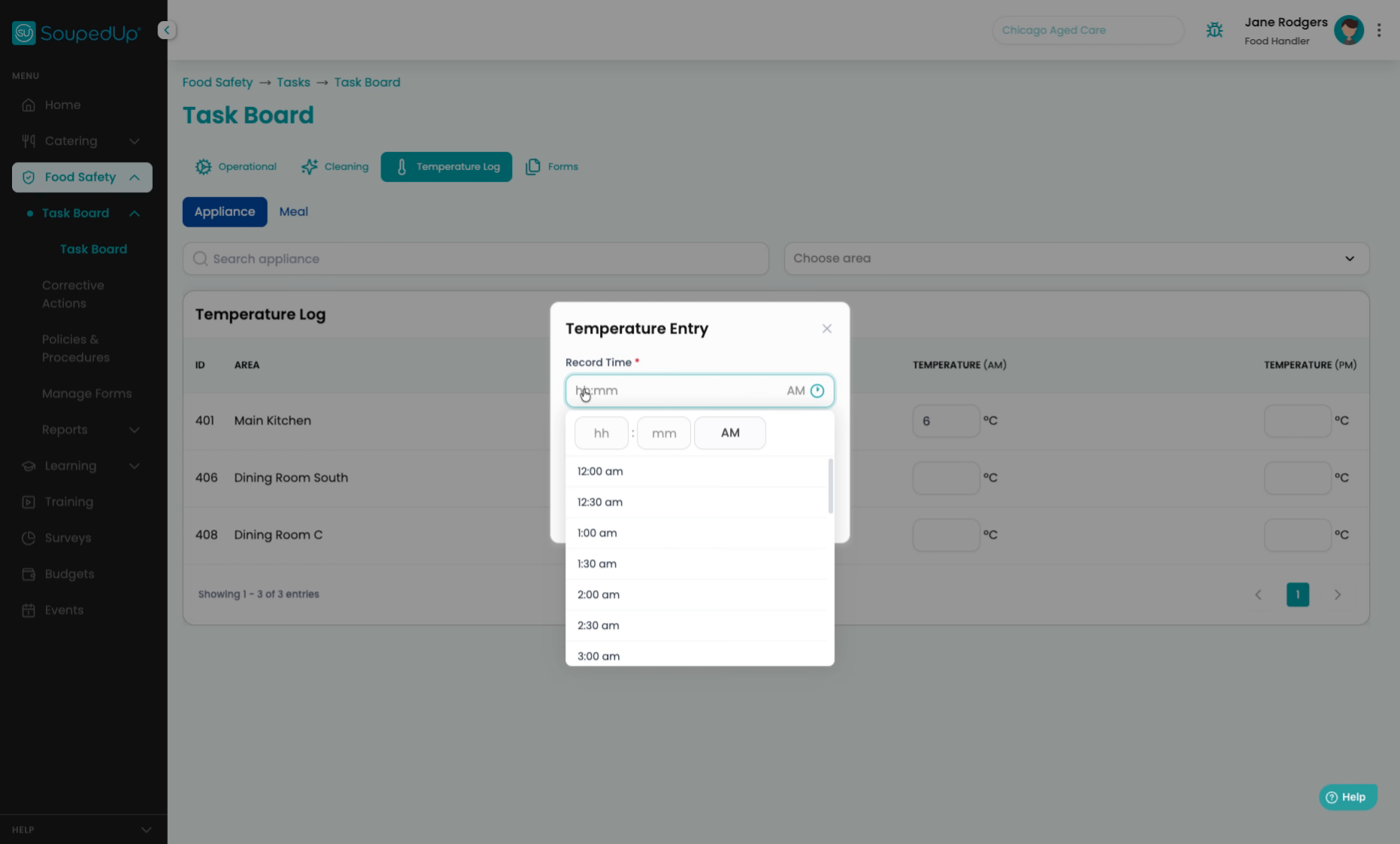
We should also record the time that the temperature was taken, still, and the person that recorded the temperature.
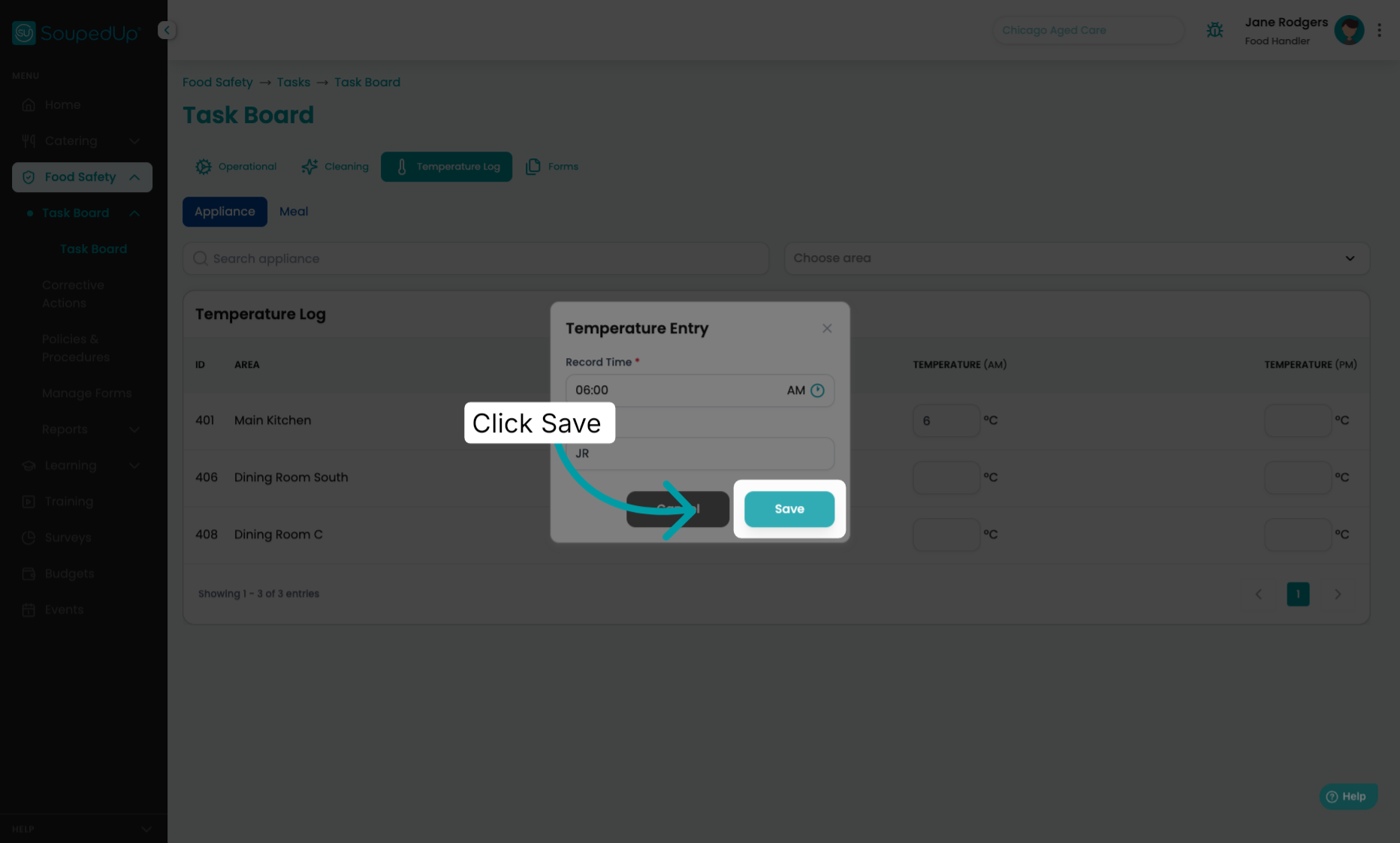
11. Save Corrective Action
Click "Save".
12. Confirm Corrective Action Logged
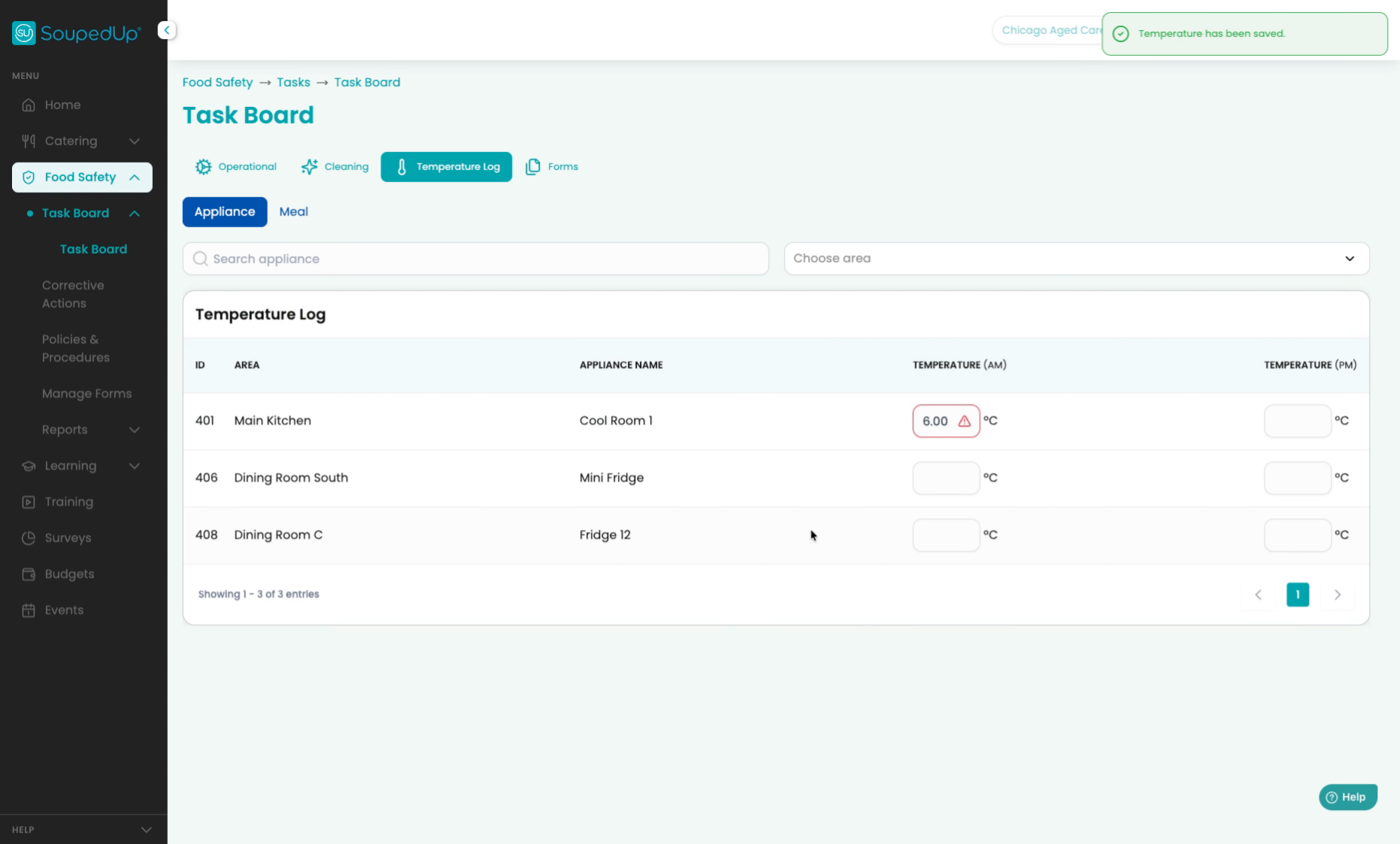
You can now see that a corrective action was logged against the temperature of the cool room in the main kitchen.
13. Closing Remarks
Thank you. All right.
This tutorial guides you through recording an out of range temperature and logging a corrective action in your food safety program, ensuring proper documentation and follow-up.
Was this article helpful?
That’s Great!
Thank you for your feedback
Sorry! We couldn't be helpful
Thank you for your feedback
Feedback sent
We appreciate your effort and will try to fix the article