Who Should Use This Article?
This article is intended for:
- Head Office Administrators responsible for creating organisation-wide printable forms.
- Site Administrators responsible for creating printable forms for their site.
Permissions Required
- Head Office Administrator
- Site Administrator
Overview
Printable Forms are designed for records that need to be printed and completed manually.
Unlike Digital Forms, Printable Forms are not completed electronically within the Food Safety Module. When published, they display a Print Only badge and can be viewed and printed from the Task Board.
This article explains how to create, build and publish a Printable Form.
Before You Begin
Ensure you:
- Have Administrator access to the Food Safety Module.
- Have permission to access Manage Forms.
- Know which sites the form will be published to, if creating at Head Office.
Accessing Create New Form
- From the left navigation menu, select Food Safety.
- Select Manage Forms.
- Select Create Form.
Create the Printable Form
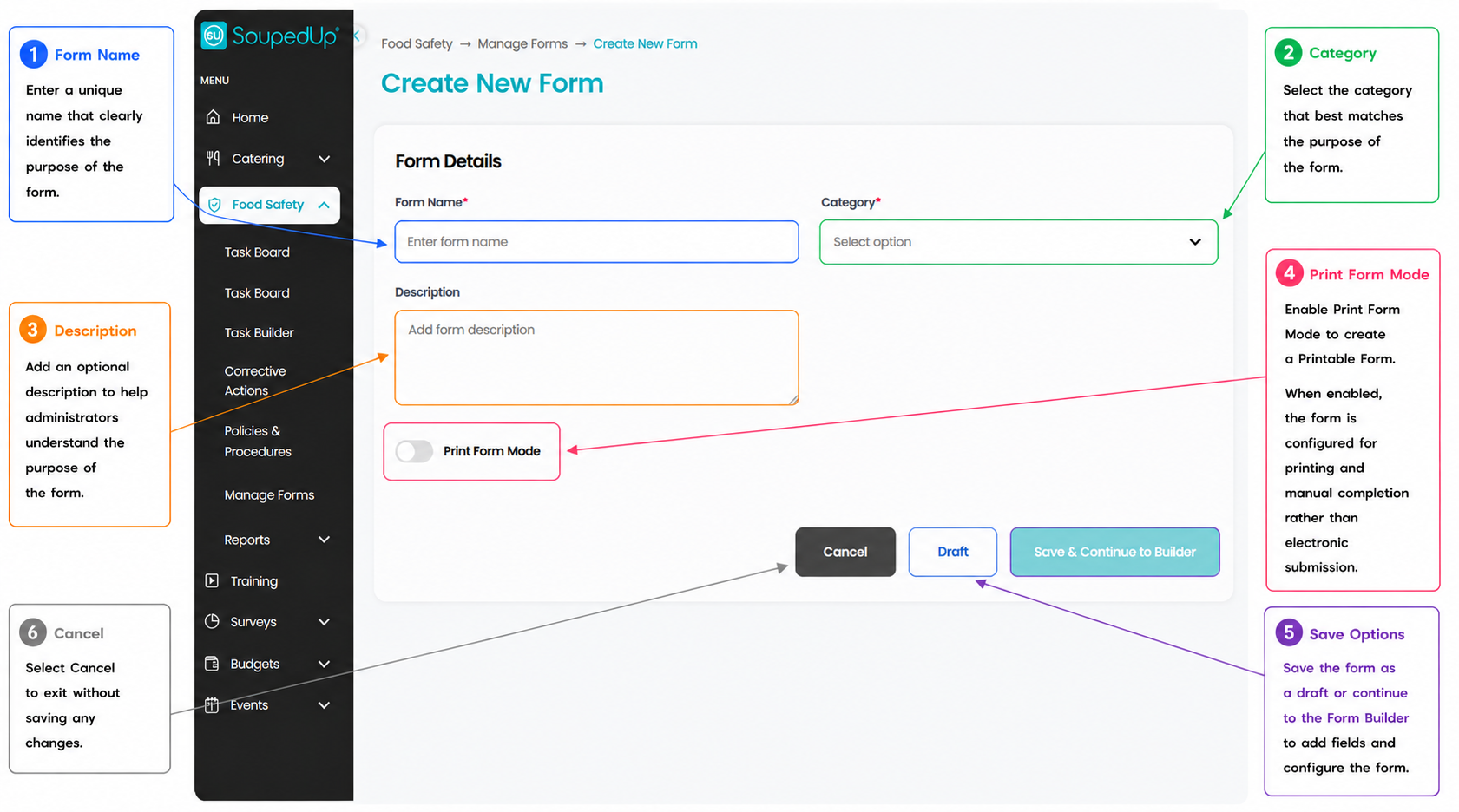
Complete the required form information.
- Enter a Form Name.
- Select the appropriate Category.
- Add an optional Description.
- Enable Print Form Mode.
- Select Save & Continue to Builder.
Build the Printable Form
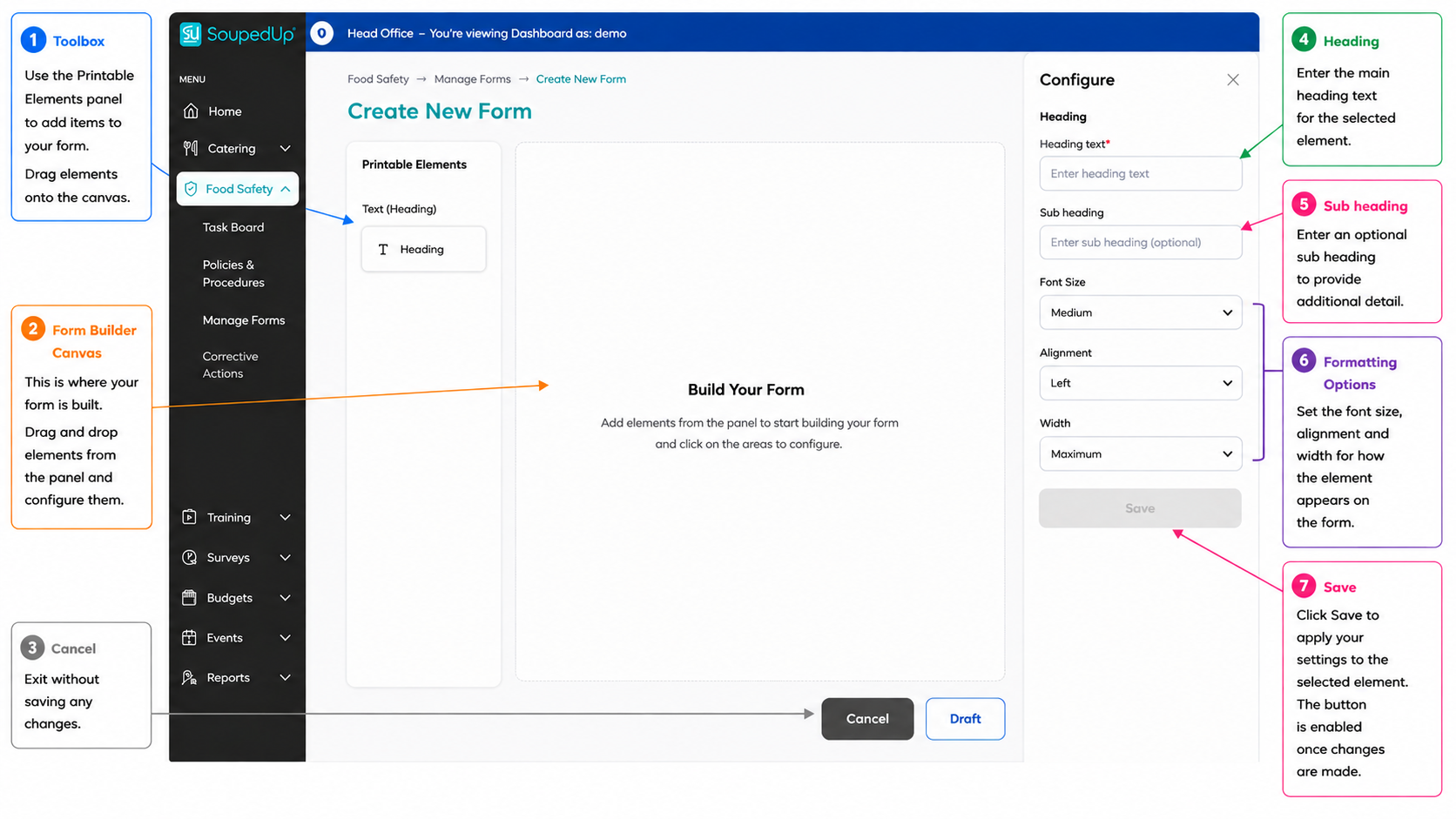
After selecting Save & Continue to Builder, the Printable Form Builder opens.
Use the Printable Elements panel to add elements to your printable form.
When the Heading element is selected, its configuration options are displayed in the configuration panel.
Configure the required settings, then select Save to apply your changes.
Repeat this process until your printable form has been completed.
Publish the Printable Form
Once all required elements have been added and configured, select
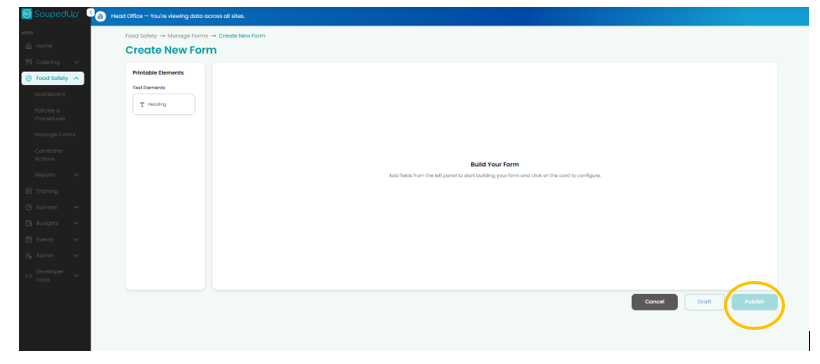
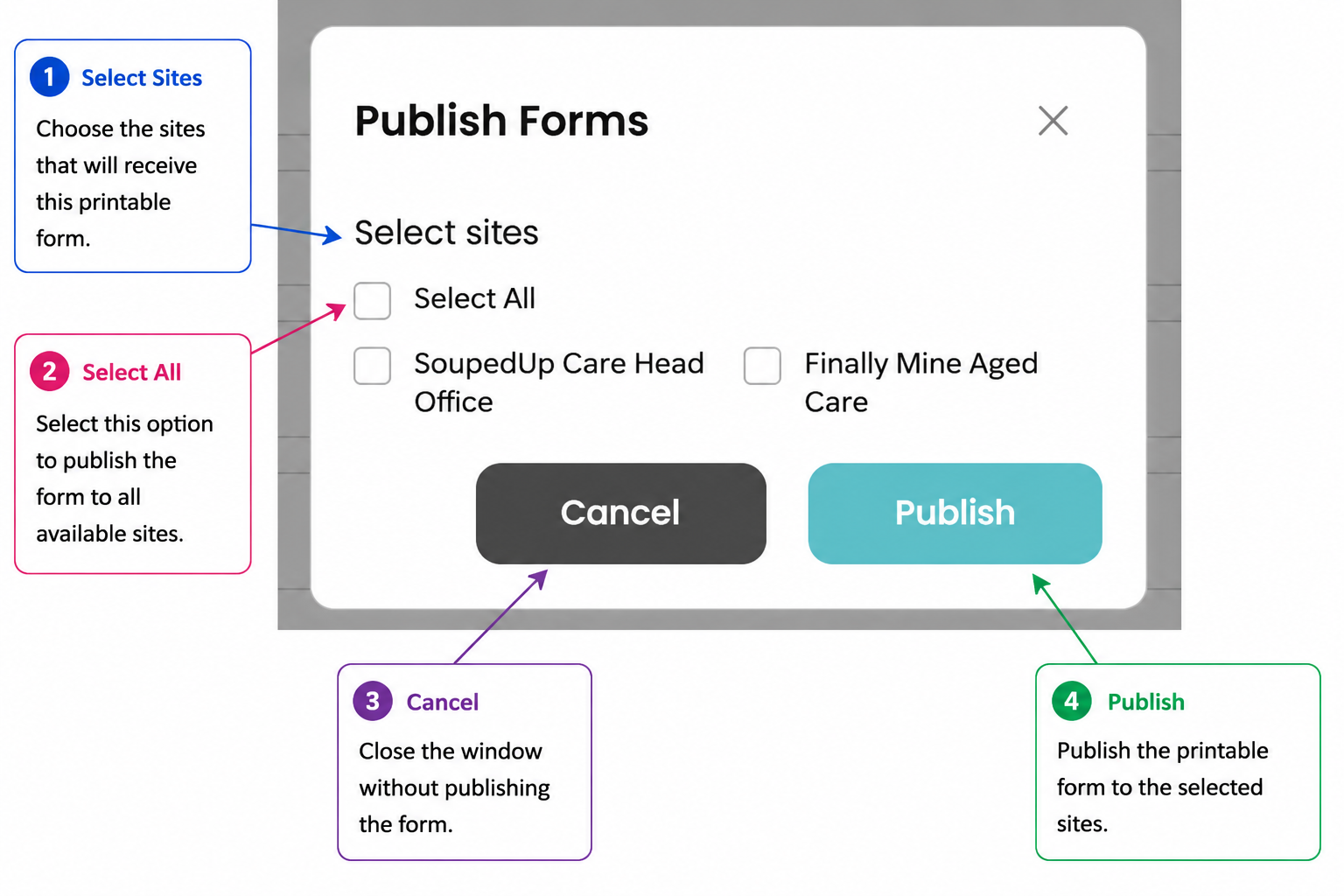
The Publish Forms window opens.
Select the site or sites that should receive the printable form.
- Select individual sites to publish to specific locations.
- Select Select All to publish the form to all available sites.
- Select Publish to complete the process.
Good to Know
- Printable Forms are intended for paper-based completion and cannot be completed electronically within the Food Safety Module.
- Head Office Administrators can publish printable forms to one, multiple or all assigned sites.
- Site Administrators can publish printable forms for use at their own site.
- Printable Forms display a Print Only badge when viewed in the Task Board.
- SoupedUp recommends creating organisation-wide forms at Head Office to support version control, document control and consistency across all sites.
Related Articles
- Understanding Manage Forms in the Food Safety Module
- Creating a Digital Form in the Food Safety Module
- Understanding Forms in the Task Board
- Viewing and Printing a Printable Form in the Task Board
Was this article helpful?
That’s Great!
Thank you for your feedback
Sorry! We couldn't be helpful
Thank you for your feedback
Feedback sent
We appreciate your effort and will try to fix the article