Who Should Use This Article?
This article is for Head Office Administrators, Site Administrators and Food Safety Users who need to access organisational Policies and Procedures within the Food Safety Module.
Permissions Required
| User | Access |
|---|---|
| Head Office Administrator | Create, edit, assign and publish Policies & Procedures |
| Site Administrator | View assigned Policies & Procedures |
| Food Safety User | View assigned Policies & Procedures |
Overview
The Policies & Procedures module provides a central location for managing organisational food safety documentation.
All Policies and Procedures are created and maintained at Head Office level, ensuring every site accesses the current approved version.
Once assigned to a site, Policies and Procedures become read-only for Site Administrators and Food Safety users.
This ensures documentation remains consistent across the organisation while allowing Head Office to control updates and version management.
Accessing Policies & Procedures
From the Food Safety navigation menu select:
Food Safety → Policies & Procedures
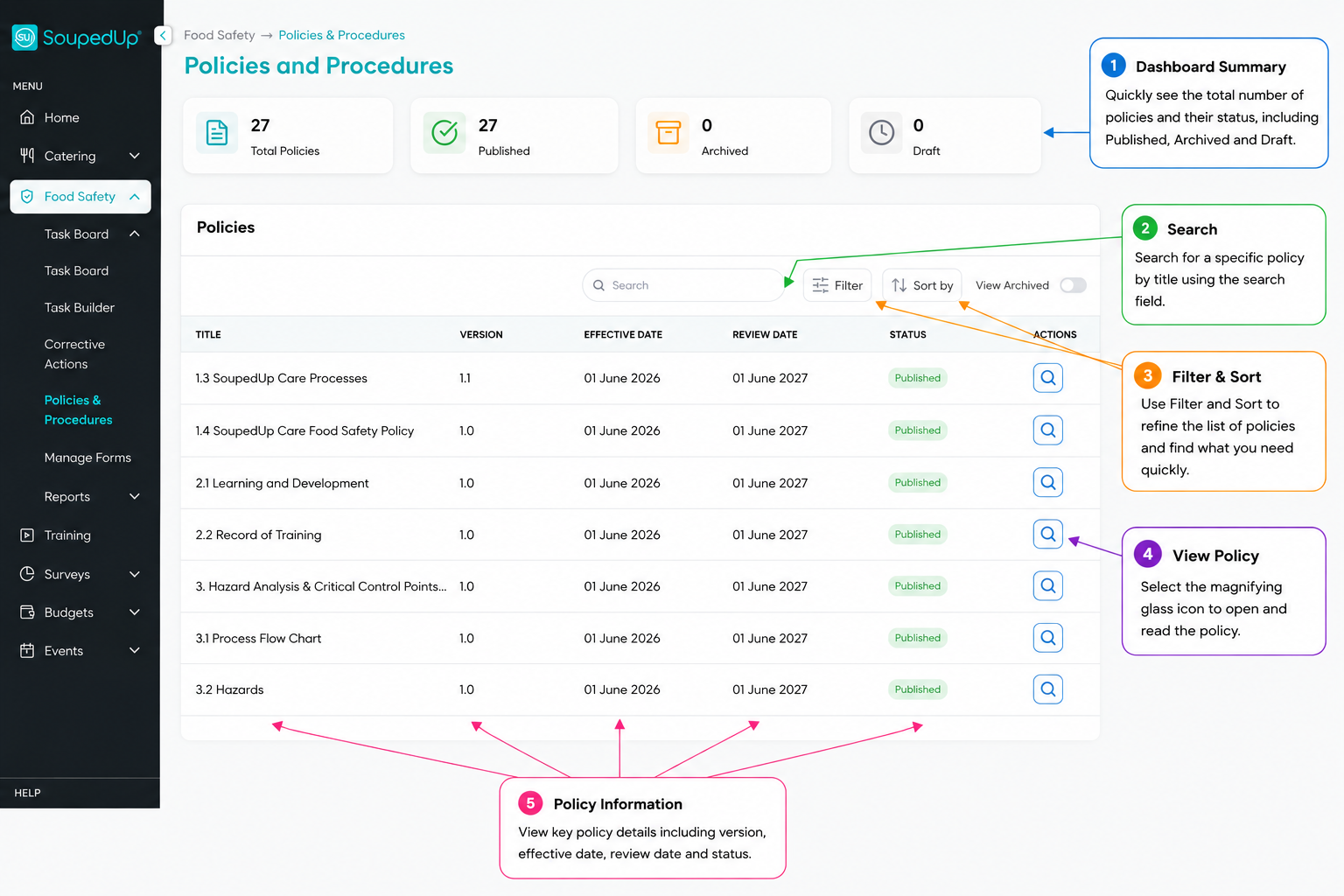
The Policies & Procedures library displays every Policy and Procedure available to your organisation.
Viewing a Policy
Select the View (magnifying glass) icon beside any Policy or Procedure.
The View Policy screen opens with four information tabs.
Understanding the Policy Tabs
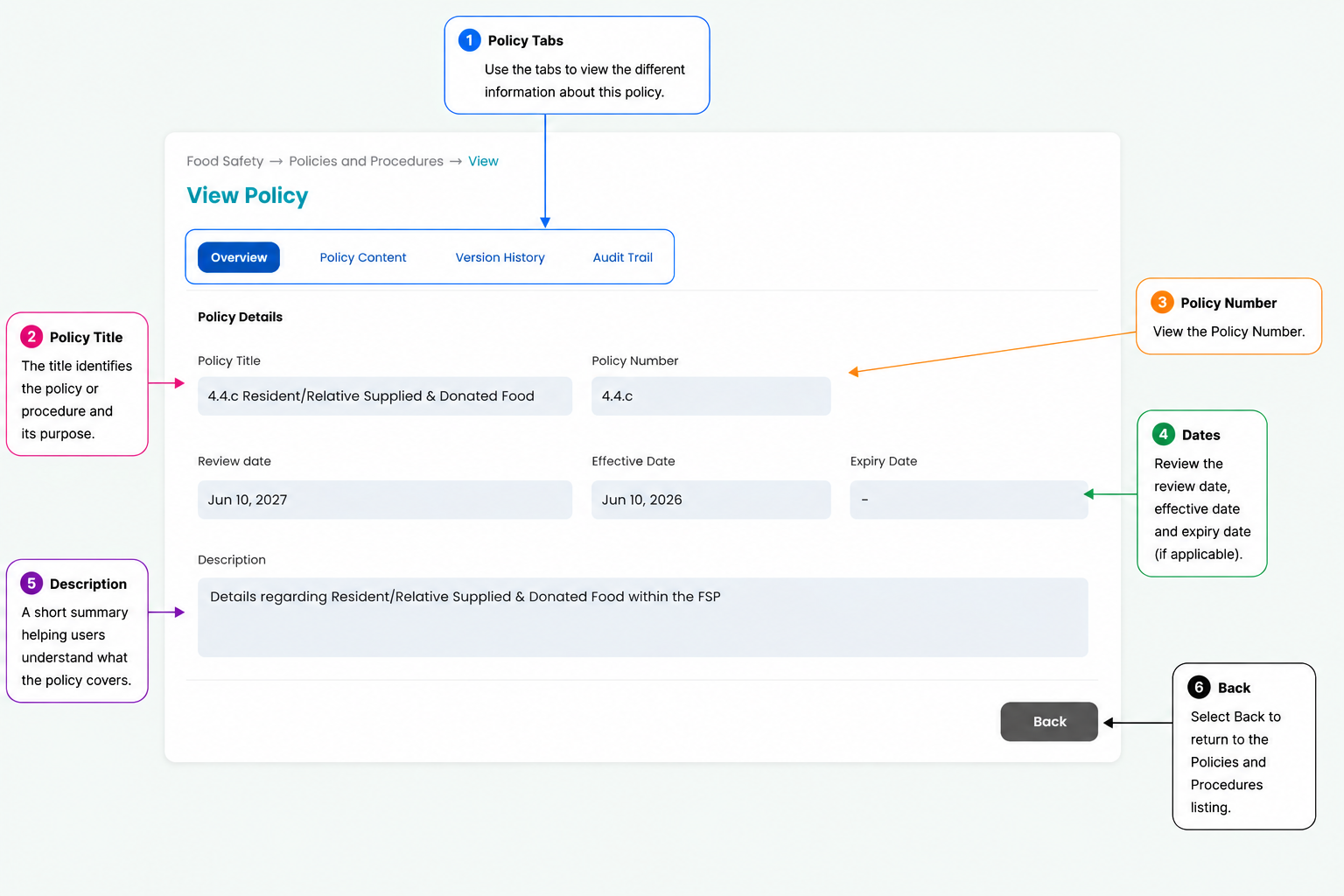
Overview
Displays the policy information including:
- Policy Title
- Policy Number
- Visibility
- Effective Date
- Review Date
- Expiry Date
- Description
Use this tab to quickly confirm the policy details and review schedule.
Policy Content
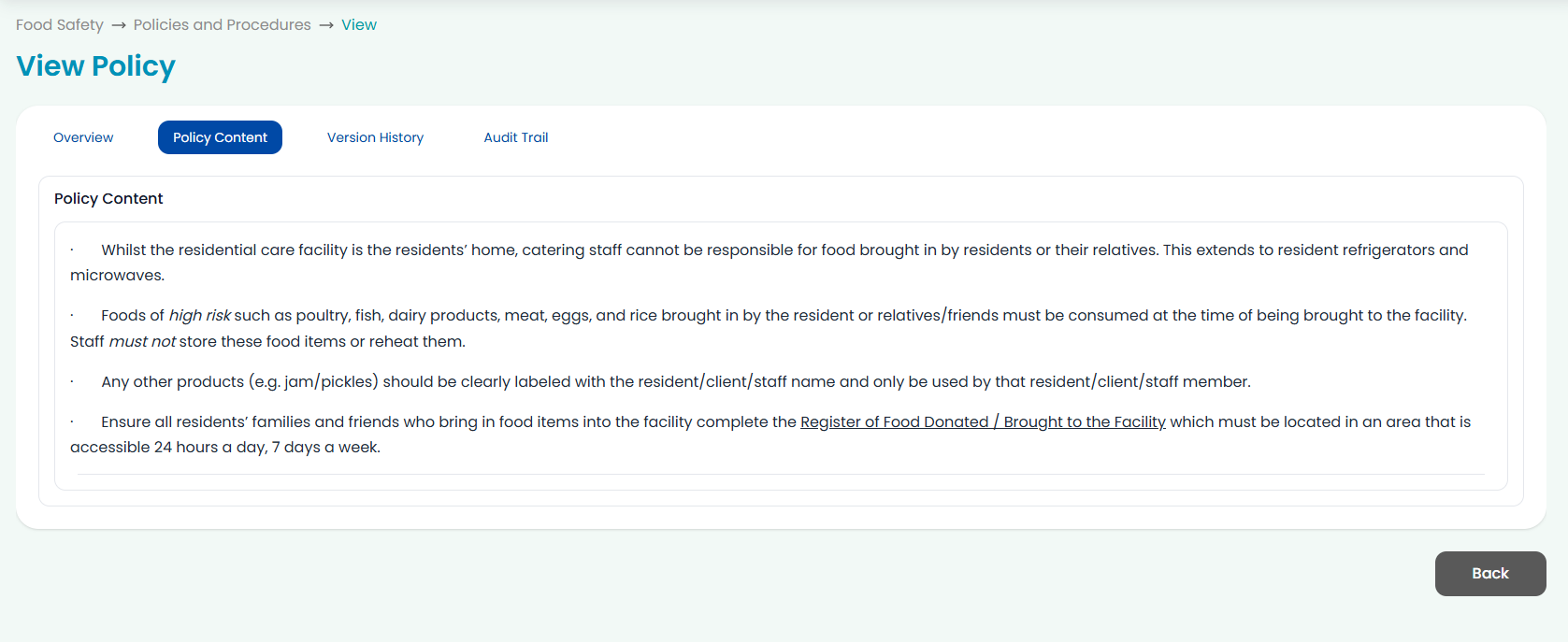
Displays the complete Policy or Procedure exactly as it has been published.
This includes:
- formatted headings
- bullet lists
- numbered lists
- tables
- hyperlinks
- embedded images
Policies are presented in a read-only format to ensure staff always access the approved version.
Version History
The Version History tab records changes made to a Policy or Procedure over time.
When a Policy is updated, previous versions notes are retained, allowing authorised users to review historical revisions and confirm when changes occurred.
This helps organisations maintain document control and demonstrate compliance.
Audit Trail
The Audit Trail records key activities performed against the Policy.
Depending on your permissions and activity, this may include actions such as:
- Policy created
- Policy updated
- Policy assigned to sites
- Version changes
- Publication history
The Audit Trail provides a transparent history of document management and supports audit and compliance requirements.
Site Access
Policies and Procedures assigned by Head Office are available to Site Administrators and Food Safety users in a read-only format.
Users can:
- View policy information
- Read policy content
- Access the latest approved version
Site users cannot:
- Create Policies
- Edit Policies
- Delete Policies
- Publish new versions
Good to Know
- Policies and Procedures are managed centrally by Head Office.
- Every assigned site automatically accesses the latest approved version.
- Policies can be assigned to one, multiple or all sites.
- Previous version information is retained through Version History.
- Audit Trail records significant document activities.
- Policies support embedded images, tables and formatted content to improve readability.
Related Articles
- Creating Policies and Procedures in the Food Safety Module
- Editing a Policy or Procedure
- Assigning Policies to Sites
- Viewing Policies at Site Level
Was this article helpful?
That’s Great!
Thank you for your feedback
Sorry! We couldn't be helpful
Thank you for your feedback
Feedback sent
We appreciate your effort and will try to fix the article