Who should use this article?
Site Administrators and Food Safety Supervisors.
Overview
Sections are used to organise tasks into logical groups within a Task Board.
Sections help staff work through tasks in a structured and consistent way and should reflect how activities are completed within your organisation.
A Section may represent:
- A shift
- A service period
- A workflow stage
- A group of related activities
Examples include:
- Opening Checks
- Breakfast Service
- Lunch Service
- Dinner Service
- Temperature Monitoring
- Food Preparation
- Clean As You Go
- End of Day Cleaning
Before You Start
Before creating a Section, ensure you have:
- Selected the Task Type (Operational or Cleaning)
- Selected the Area where the Task Board will apply
Add a Section
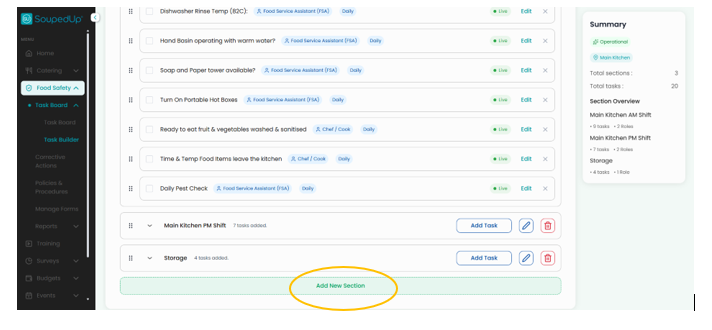
Navigate to the Task Board where you wish to add a Section.
Select Add Section.
Complete Section Details
Complete the required fields.
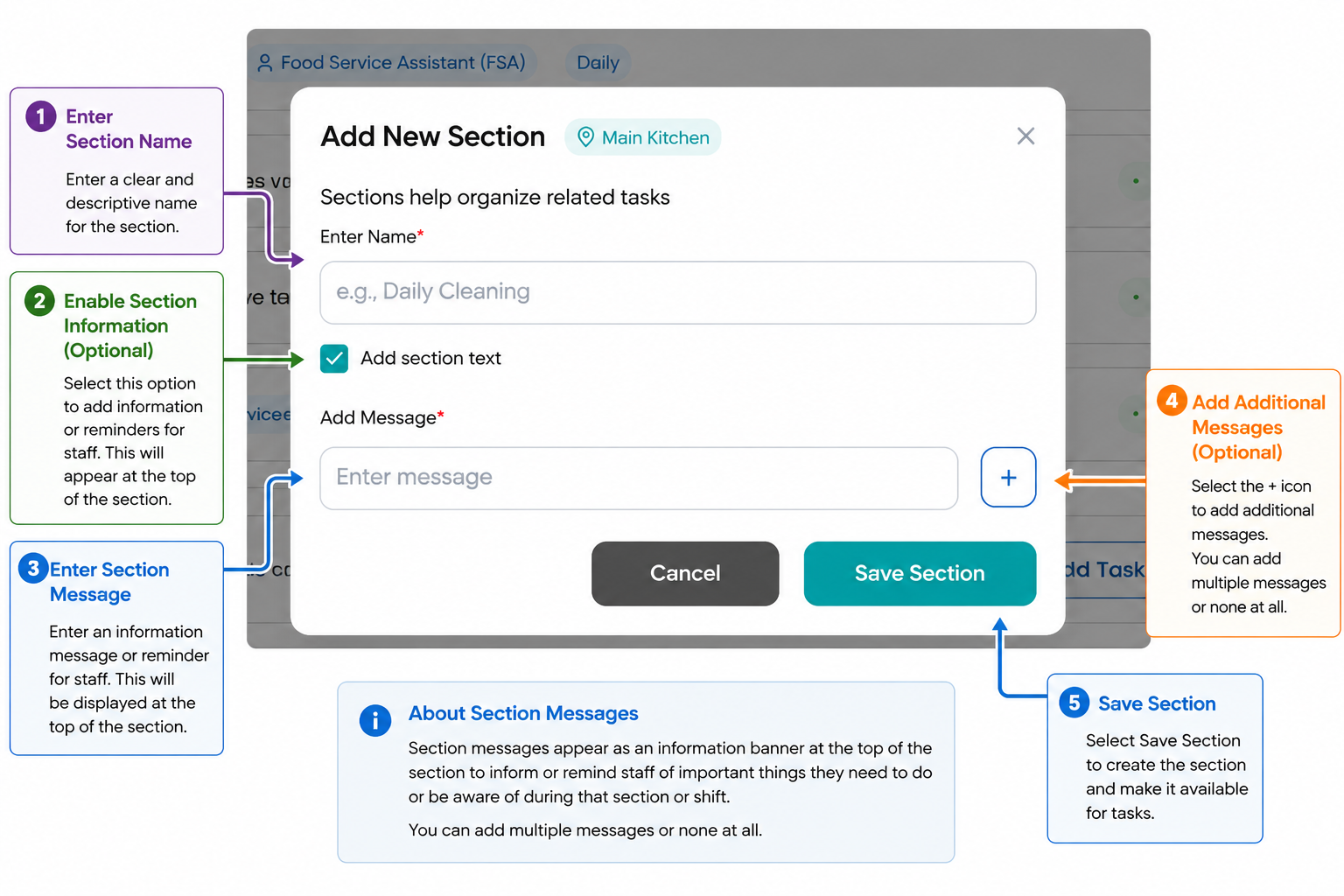
Step 1 - Enter Section Name
Enter a clear and descriptive Section Name.
Examples include:
- Opening Checks
- Breakfast Service
- Lunch Service
- Dinner Service
- Clean As You Go
- End of Day Cleaning
Section names should clearly describe the activities contained within the Section.
Step 2, 3 & 4 - Add Section Text (Optional)
Section Information can be used to provide additional instructions or reminders for staff.
Examples include:
- Complete all temperature checks before commencing service.
- Ensure sanitiser concentrations have been checked.
- Review corrective actions before commencing the shift.
This information is displayed to users when completing tasks within the Section.
Step 5 - Save the Section
Select Save to create the Section.
The Section will now be available for tasks to be added.
Result
The Section has been successfully created and is ready for task configuration.
Tasks can now be added and assigned to the appropriate roles.
Good to Know
There is no single correct way to structure Sections.
Sections should reflect how staff naturally work throughout the day.
Some organisations choose to structure Sections by:
Service Period
- Breakfast
- Lunch
- Dinner
Workflow
- Opening Checks
- Food Preparation
- Service
- Closing Procedures
Cleaning Activities
- Clean As You Go
- End of Day Cleaning
- Weekly Deep Cleaning
Shift
- Morning Shift
- Afternoon Shift
- Night Shift
Choose the structure that is easiest for staff to understand and complete consistently.
Avoid creating too many Sections, as this can make Task Boards more difficult to navigate.
Related Articles
Was this article helpful?
That’s Great!
Thank you for your feedback
Sorry! We couldn't be helpful
Thank you for your feedback
Feedback sent
We appreciate your effort and will try to fix the article