Overview
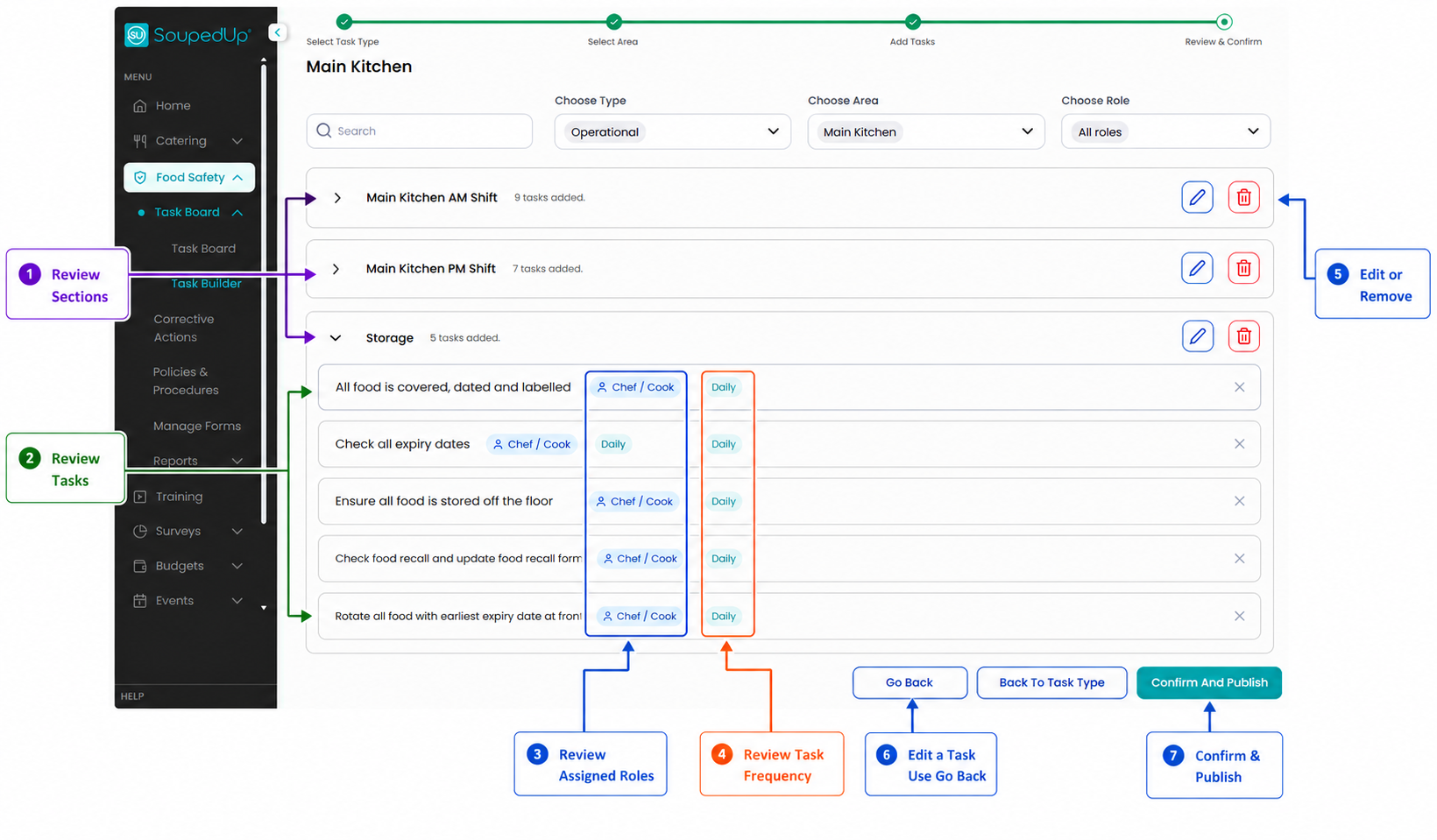
The Review & Confirm screen allows you to review the Sections, Tasks, Roles and Frequencies that have been configured before publishing the Task Board.
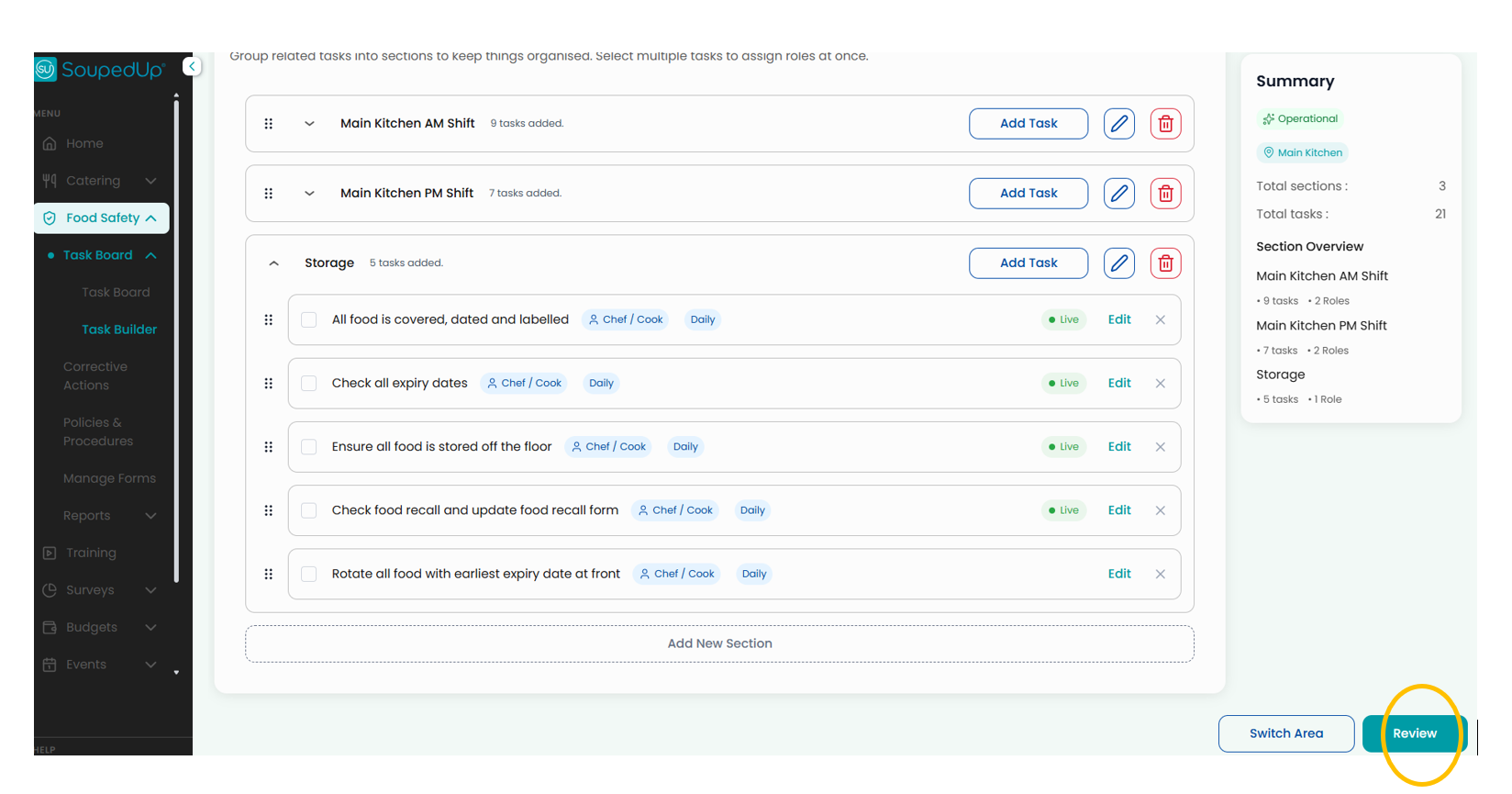
To access the Review & Confirm Screen click on the Review button at the base of the Create sections and add tasks page in the Task Builder.
Review a Task Board
Step 1 - Review Sections
Confirm all required Sections have been created.
Step 2 - Review Tasks
Review the tasks within each Section to ensure they have been configured correctly.
Step 3 - Review Assigned Roles
Confirm tasks have been assigned to the appropriate Role.
Step 4 - Review Frequencies
Confirm task frequencies align with operational requirements.
Step 5 - Make Changes if Required
If changes are required, use the Edit or Delete options to update the Section before publishing.
Step 5 - To Make Changes to Tasks
If changes are required to Tasks, use the Go Back button to update the Tasks in the Create sections and add tasks page .
Step 7 - Confirm and Publish
Once all information has been reviewed, select Confirm and Publish.
Good to Know
Reviewing the Task Board before publishing can help identify missing tasks, incorrect role assignments or duplicate activities.
Related Articles
Was this article helpful?
That’s Great!
Thank you for your feedback
Sorry! We couldn't be helpful
Thank you for your feedback
Feedback sent
We appreciate your effort and will try to fix the article