Who Should Use This Article?
- Site Users
- Site Administrators
Overview
The Quick Add feature allows users to create a one-off Food Safety task directly from the Task Board.
Quick Add is intended for activities that are not already configured as recurring tasks within the Food Safety Program.
Once saved, the task is added to the selected section and can be completed, monitored and reported on like any other Food Safety task.
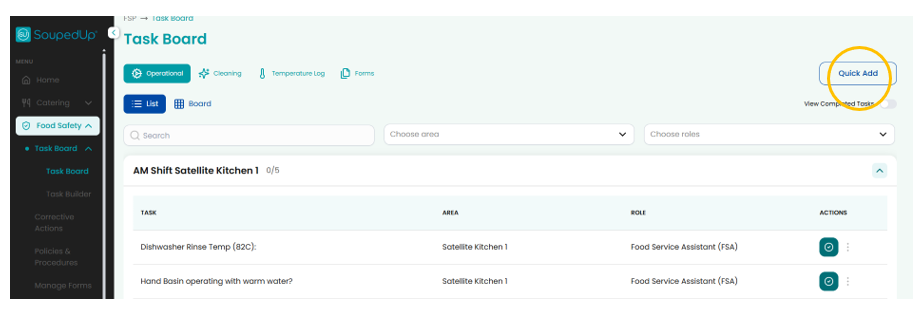
Understanding Quick Add
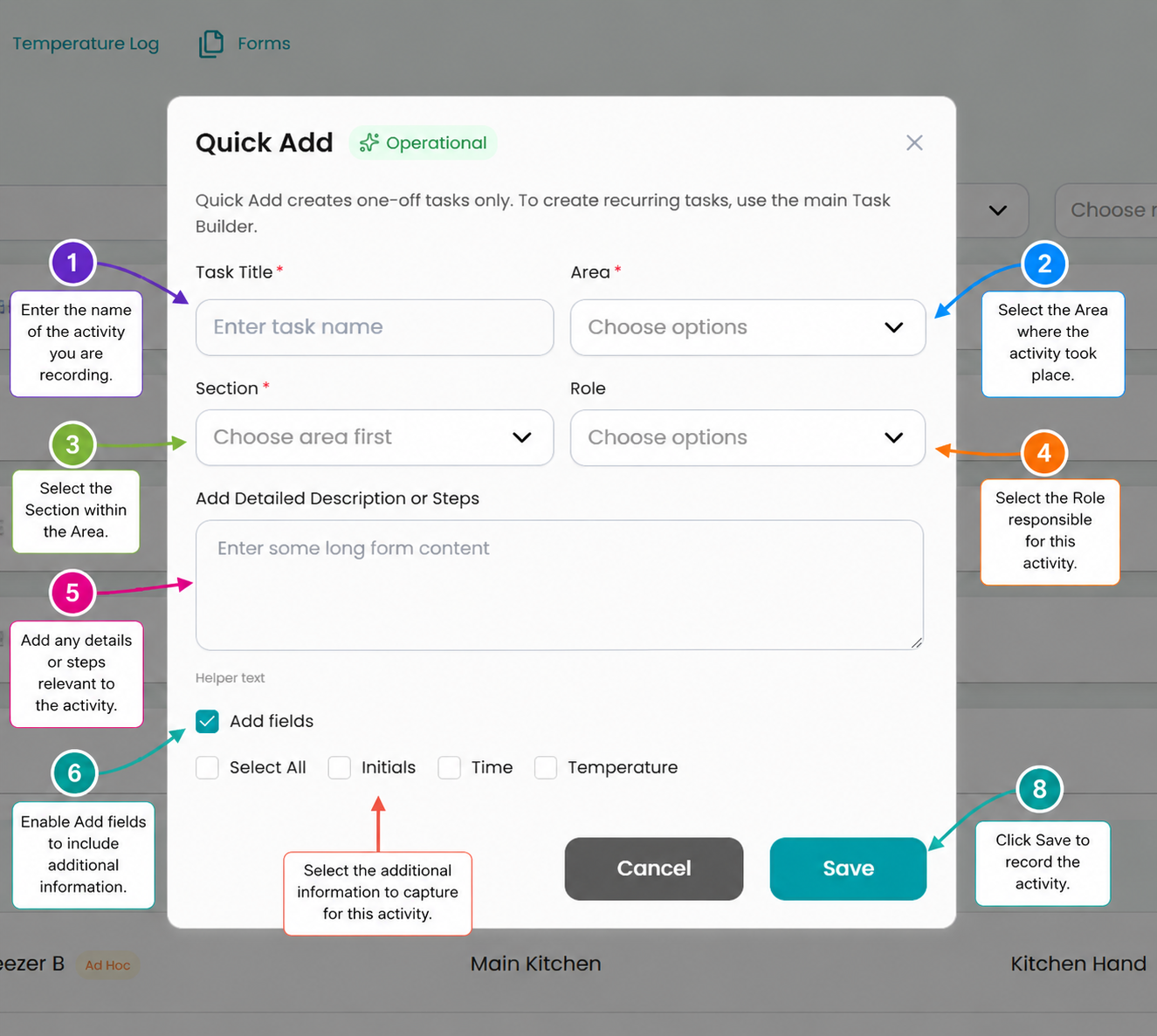
Key Features
| Feature | Description |
|---|---|
| Task Title | Name of the activity being recorded. |
| Area | Area where the activity will occur. |
| Section | Section where the task will be displayed. |
| Role | Role responsible for completing the task. |
| Detailed Description or Steps | Additional instructions for the activity. |
| Add Fields | Enables additional completion requirements. |
| Initials | Requires initials when completing the task. |
| Time | Requires a time entry when completing the task. |
| Temperature | Requires a temperature entry when completing the task. |
| Save | Creates the task and adds it to the Task Board. |
Creating a Quick Add Task
- Navigate to the Task Board.
- Select Quick Add.
- Enter the Task Title.
- Select the required Area.
- Select the required Section.
- Select the responsible Role (if applicable).
- Enter any instructions or activity details.
- Select Add Fields if additional completion requirements are required.
- Select any required fields:
- Initials
- Time
- Temperature
- Select Save.
The task will immediately be added to the selected section.
Viewing Quick Add Tasks
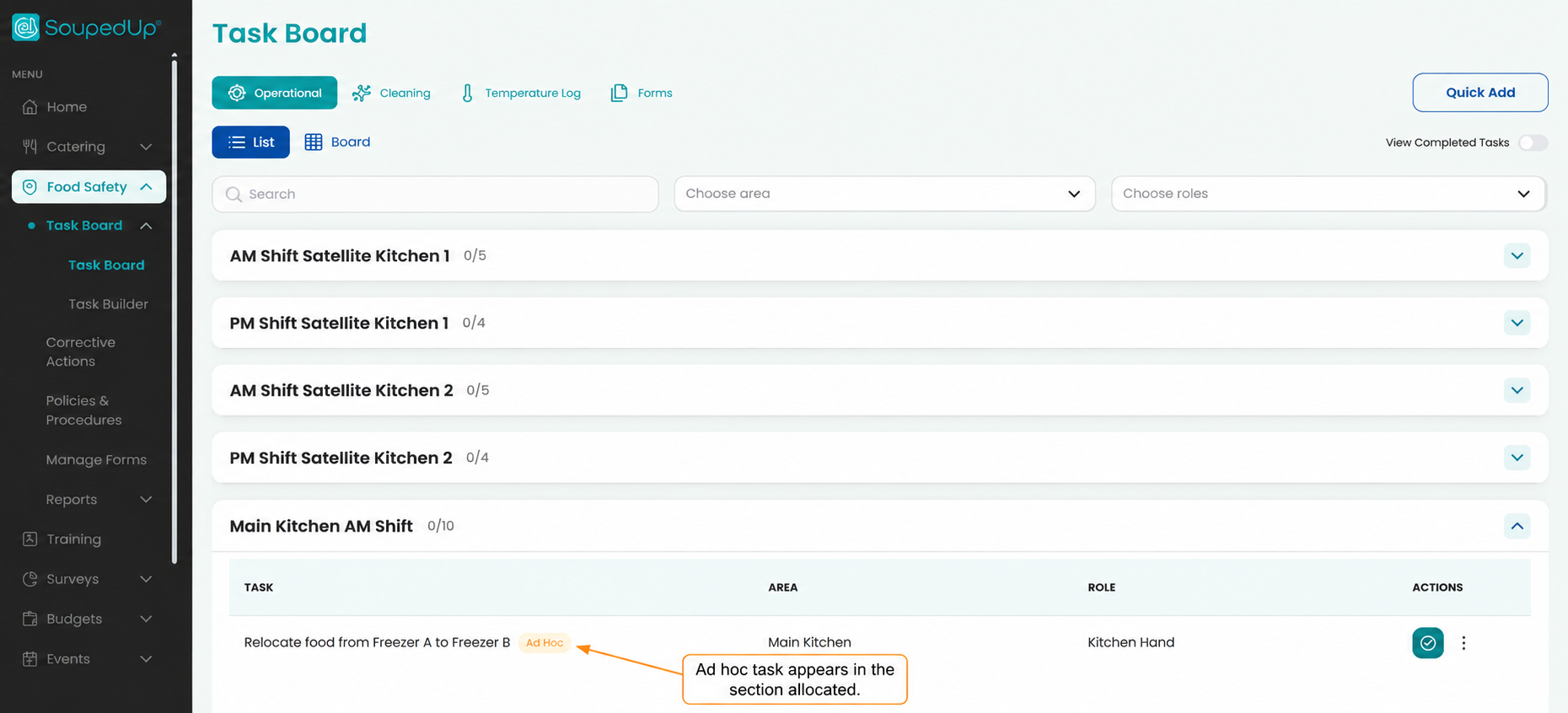
Quick Add tasks appear within the section selected during creation and are identified using an Ad Hoc label.
Important
Quick Add creates one-off tasks only.
If an activity needs to occur regularly, it should be created through the Task Builder instead of Quick Add.
Examples include:
- Daily temperature checks
- Weekly cleaning schedules
- Monthly maintenance activities
- Recurring food safety monitoring tasks
Result
A one-off Food Safety task is created and added to the Task Board for completion, monitoring and reporting.
Good to Know
- Ad Hoc tasks are identified using an Ad Hoc label.
- Ad Hoc tasks behave the same as standard Task Board tasks.
- Ad Hoc tasks can be completed, reviewed and reported on.
- Ad Hoc tasks appear in the section selected during creation.
- Additional completion requirements can be configured using Add Fields.
- Quick Add tasks can be searched and filtered using standard Task Board filters.
Related Articles
Was this article helpful?
That’s Great!
Thank you for your feedback
Sorry! We couldn't be helpful
Thank you for your feedback
Feedback sent
We appreciate your effort and will try to fix the article