Who should use this article?
Site Administrators and Food Safety Supervisors.
Overview
Once all Sections, Tasks and Roles have been configured and reviewed, the Task List can be published and made available to staff.
Before You Start
Before publishing a Task List, ensure you have completed the review process.
For more information, refer to:
Review a Task Board in the Task Builder
Publish a Task List
Navigate to the Review & Confirm step within the Task Board Builder.
[Insert Screenshot]
Step 1 - Confirm and Publish
Select Confirm and Publish.
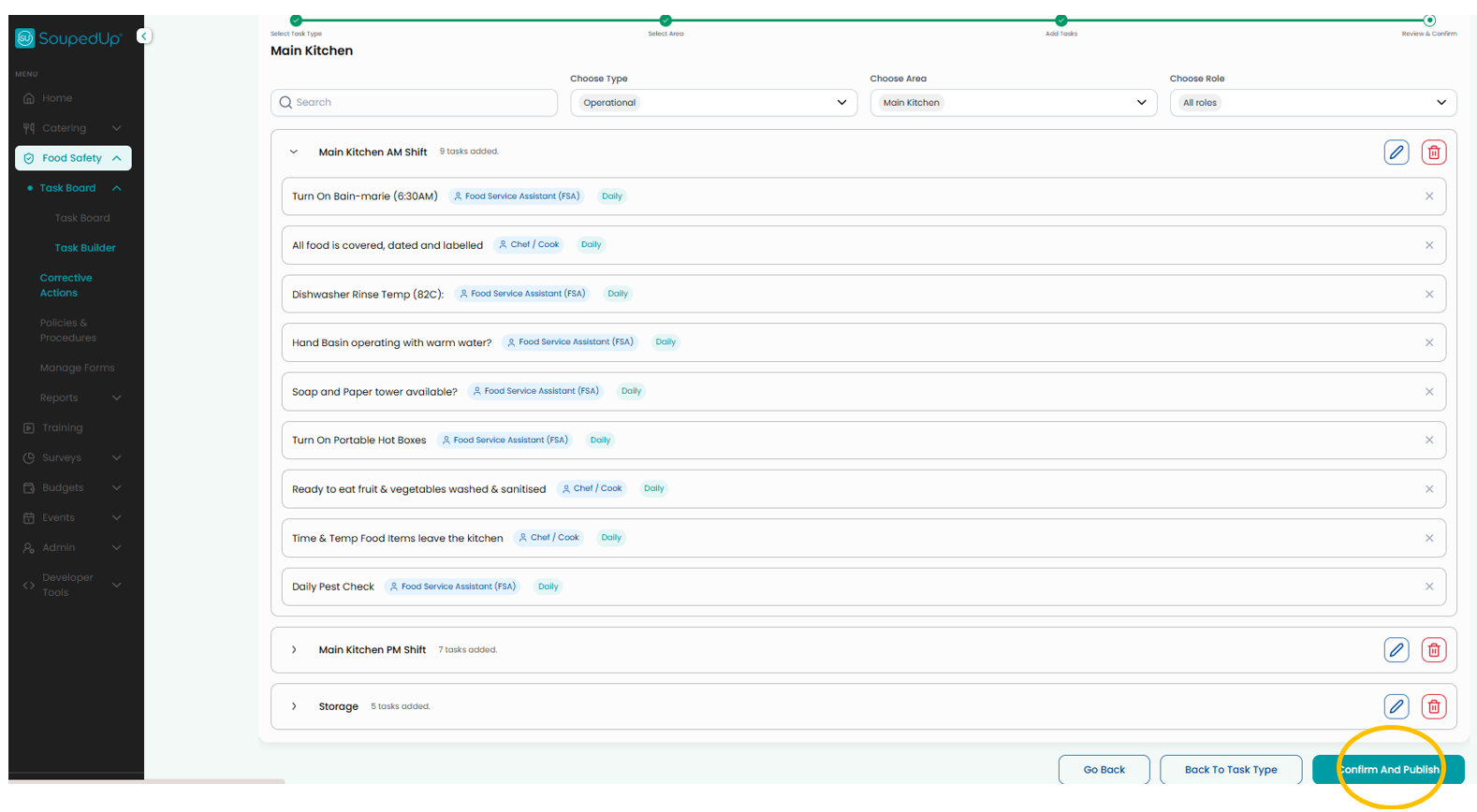
The Publish Confirmation screen provides a final review of the Task List before it is made available to staff. Select Publish when if you are happy with this overview.
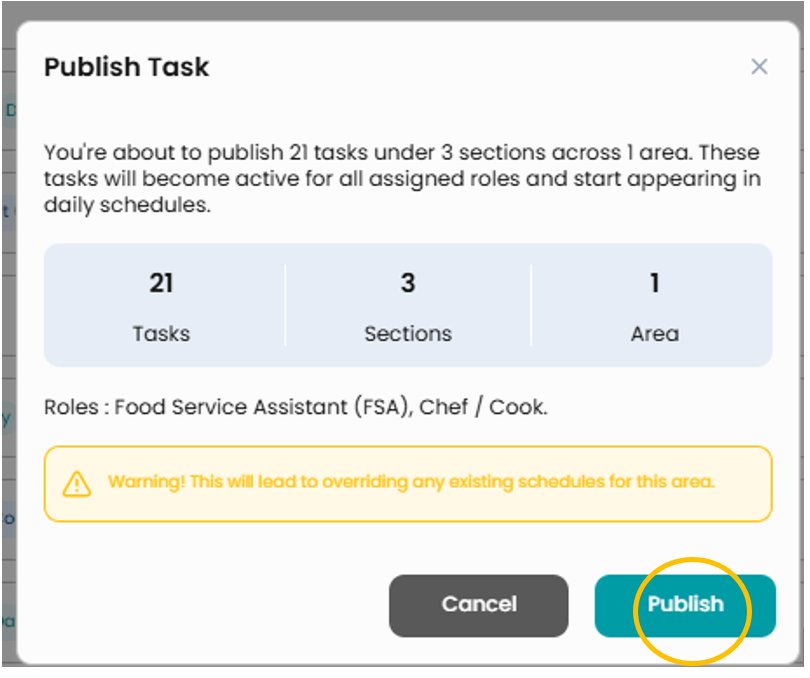
The Task List will be published and made available within the Food Safety Program.
Result
The published Task List is now available for staff to complete.
Any Tasks assigned to Roles will be displayed within the Task Board for the relevant users.
Good to Know
Task Lists can be updated at any time by returning to the Task Board Builder and making the required changes.
Related Articles
- Review a Task Board in the Task Builder
- Complete Tasks on the Task Board
Was this article helpful?
That’s Great!
Thank you for your feedback
Sorry! We couldn't be helpful
Thank you for your feedback
Feedback sent
We appreciate your effort and will try to fix the article